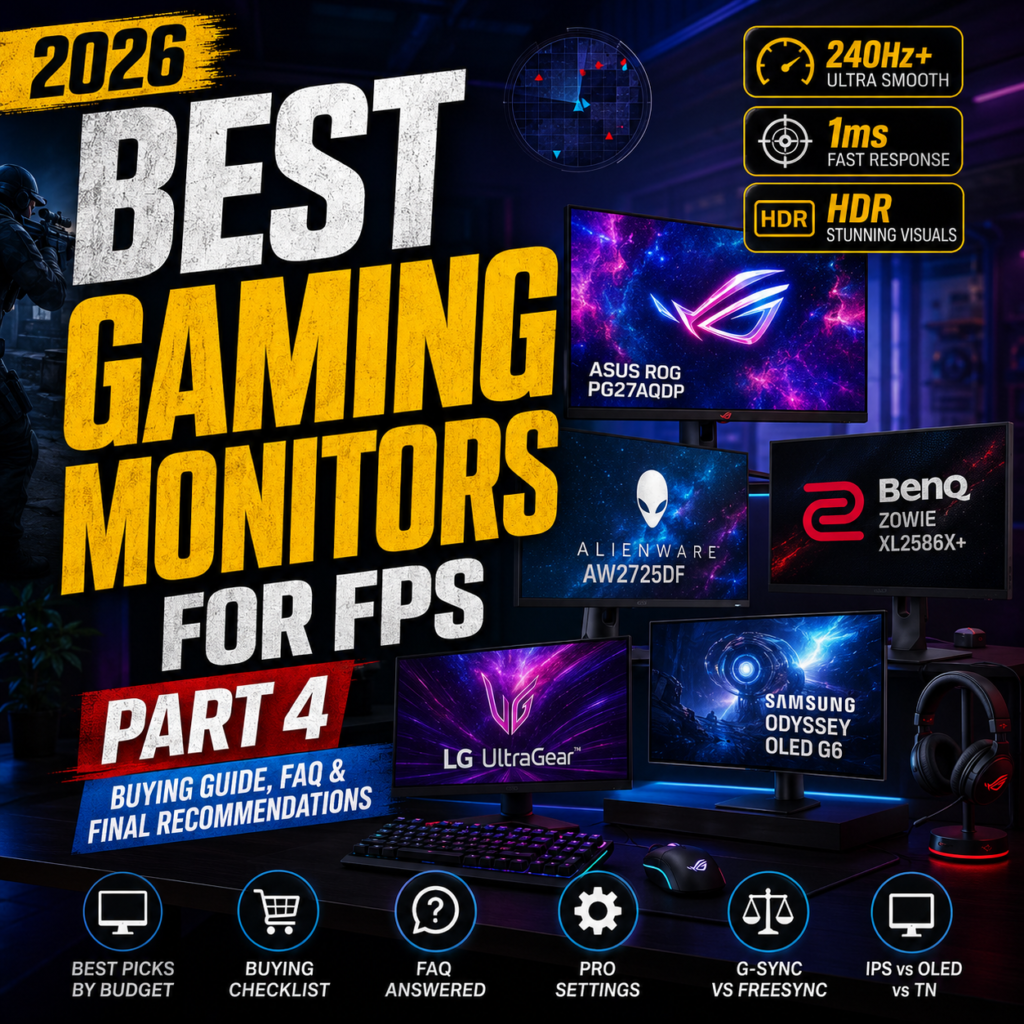
Best Gaming Monitors for FPS in 2026
The Ultimate Guide to Choosing the Best Gaming Monitor
Last Updated: July 2026
If you’ve invested in a powerful gaming PC but are still using an old 60Hz monitor, you’re leaving performance on the table.
A gaming monitor isn’t just a screen—it’s one of the most important pieces of hardware that directly affects how smooth, responsive, and competitive your gameplay feels.
Whether you’re playing Counter-Strike 2, Valorant, Call of Duty: Black Ops 7, Apex Legends, Rainbow Six Siege X, or Overwatch 2, the right monitor can improve your reaction time, reduce motion blur, and make tracking enemies significantly easier.
Professional esports players spend thousands of hours practicing their aim, but they also invest in high-performance monitors because every millisecond matters.
In this complete guide, you’ll learn:
- Why refresh rate is so important
- 1080p vs 1440p vs 4K gaming
- IPS vs OLED vs VA panels
- Response time explained
- Adaptive Sync technologies
- The best gaming monitors in 2026
- Which monitor offers the best value for competitive FPS gaming
Let’s begin by understanding why your monitor matters more than many gamers realize.
Why Your Gaming Monitor Matters


Many gamers upgrade their graphics card before considering their monitor.
However, your monitor is responsible for displaying every frame your graphics card produces.
If your PC generates 300 frames per second but your monitor refreshes only 60 times per second, you’ll never actually see all of that performance.
A better gaming monitor provides:
- Smoother gameplay
- Faster reaction times
- Reduced motion blur
- Better target tracking
- Improved visual clarity
- Less eye fatigue during long sessions
For competitive gamers, these advantages can make a real difference.
Refresh Rate Explained


One of the most important specifications of any gaming monitor is its refresh rate.
Refresh rate refers to how many times the monitor updates the image every second.
Common refresh rates include:
- 60Hz
- 75Hz
- 120Hz
- 144Hz
- 165Hz
- 180Hz
- 240Hz
- 360Hz
- 480Hz
- 540Hz
The higher the refresh rate, the smoother motion appears.
For FPS games, this means:
- Easier enemy tracking
- Reduced ghosting
- Faster visual updates
- More responsive gameplay
60Hz
60Hz is still common on office monitors and entry-level displays.
While perfectly adequate for web browsing and productivity, it feels noticeably sluggish in fast-paced shooters.
Competitive FPS players generally avoid 60Hz.
144Hz
For many gamers, 144Hz is where competitive gaming truly begins.
Compared with 60Hz, gameplay feels dramatically smoother.
Benefits include:
- Improved aiming
- Better tracking
- Reduced input delay
- Lower motion blur
If you’re upgrading from 60Hz, the difference is immediately noticeable.
240Hz


240Hz has become the sweet spot for serious competitive gamers.
Many professional players choose 240Hz because it offers an excellent balance between smoothness, affordability, and hardware requirements.
Advantages include:
- Extremely smooth motion
- Easier flick shots
- Better recoil control
- Faster target acquisition
360Hz and Beyond
High-end esports monitors now offer:
- 360Hz
- 480Hz
- 540Hz
These monitors provide incredibly fluid gameplay.
However, they also require an extremely powerful PC capable of maintaining very high frame rates.
For most players, the difference between 240Hz and 360Hz is much smaller than the jump from 60Hz to 144Hz.
Response Time Explained


Response time measures how quickly a pixel changes from one color to another.
Lower response times reduce:
- Motion blur
- Ghosting
- Smearing
Modern gaming monitors commonly advertise:
- 1ms GtG
- 0.5ms
- 0.03ms (OLED)
While manufacturers often quote ideal laboratory measurements, real-world performance depends on panel quality and overdrive settings.
For competitive FPS gaming, low response times help maintain image clarity during fast movement.
Resolution: 1080p vs 1440p vs 4K


Choosing the right resolution depends on both your PC hardware and your gaming priorities.
1080p (1920×1080)
Advantages:
- Highest frame rates
- Lower GPU requirements
- Ideal for esports
- Most affordable
Best for:
- Counter-Strike 2
- Valorant
- Rainbow Six Siege X
- Overwatch 2
Many professional players still use 1080p because maximizing frame rate is their top priority.
1440p (2560×1440)
1440p has become the preferred resolution for many gamers.
It offers:
- Sharper visuals
- Larger workspace
- Excellent balance between quality and performance
- Great compatibility with modern GPUs
If your graphics card can consistently deliver over 200 FPS, 1440p is an excellent choice.
4K (3840×2160)
4K provides stunning image quality and incredible detail.
However:
- Requires powerful hardware
- Lower FPS
- Higher GPU cost
Competitive FPS players rarely prioritize 4K over refresh rate.
For single-player games, though, the visual experience can be spectacular.
Screen Size Matters


Monitor size also affects competitive performance.
24-inch
The standard for professional esports.
Benefits:
- Entire screen visible without excessive eye movement
- Ideal viewing distance
- Excellent for competitive shooters
27-inch
Currently the most popular gaming monitor size.
Advantages:
- Larger image
- Better immersion
- Great for both gaming and productivity
A 27-inch 1440p monitor is one of the best all-around choices.
32-inch
Provides an immersive experience, especially for single-player games.
However, some FPS players find it slightly too large for highly competitive play.
Why Esports Players Prefer Smaller Monitors


If you’ve watched professional esports tournaments, you’ve probably noticed that most players use 24-inch or 24.5-inch monitors.
This isn’t because larger monitors are inferior.
Instead, smaller displays allow players to:
- See the entire screen without moving their eyes as much
- Track enemies more efficiently
- Maintain focus on the crosshair
- Reduce unnecessary head movement
For games where split-second reactions matter, these small advantages can make a meaningful difference.
The Best Gaming Monitors You Can Buy This Year
Choosing the right gaming monitor isn’t simply about buying the most expensive model.
Different gamers have different priorities.
Some want the fastest refresh rate possible for esports, while others prefer stunning OLED picture quality or the best value for their money.
Below are the best gaming monitors for FPS gaming in 2026.
1. ASUS ROG Swift PG27AQDP
Best Overall Gaming Monitor


The ASUS ROG Swift PG27AQDP has become one of the most talked-about gaming monitors in 2026.
It combines a 27-inch OLED panel with an ultra-fast refresh rate, making it suitable for both esports and immersive gaming.
Specifications
- 27-inch OLED
- 2560×1440 Resolution
- 480Hz Refresh Rate
- 0.03ms Response Time
- DisplayHDR Support
- G-SYNC Compatible
- FreeSync Premium
Pros
✔ Incredible motion clarity
✔ Deep OLED contrast
✔ Outstanding HDR performance
✔ Extremely low response time
✔ Premium build quality
Cons
✘ Expensive
✘ OLED burn-in requires proper care
Best For
- Competitive FPS
- AAA gaming
- Content creators
- Streamers
2. Alienware AW2725DF
Best OLED Gaming Monitor


Alienware has become one of the leaders in OLED gaming displays.
The AW2725DF delivers exceptional image quality while maintaining esports-level responsiveness.
Features
- 27-inch QD-OLED
- 360Hz Refresh Rate
- 1440p Resolution
- HDR True Black
- Excellent color accuracy
- Fast response time
Pros
✔ Amazing colors
✔ Deep blacks
✔ Excellent motion performance
✔ Premium design
Cons
✘ Premium price
✘ Reflective screen in bright rooms
Perfect For
Gamers who want both competitive performance and cinematic visuals.
3. BenQ ZOWIE XL2586X+
Best Esports Monitor


If your primary goal is winning competitive FPS matches, few monitors are as respected as the BenQ ZOWIE series.
Designed specifically for esports, this monitor focuses on performance rather than visual effects.
Specifications
- 24.1-inch
- 1920×1080 Resolution
- 600Hz-class esports performance (model-dependent)
- DyAc™ Motion Blur Reduction
- Adjustable stand
- Black eQualizer
Why Professionals Love It
- Extremely smooth motion
- Excellent visibility
- Minimal input lag
- Tournament-proven reliability
Best Games
- Counter-Strike 2
- Valorant
- Rainbow Six Siege X
4. LG UltraGear OLED Series
Best All-Round Gaming Monitor


LG continues to produce some of the best OLED gaming monitors available.
The UltraGear series balances speed, image quality, and usability.
Features
- OLED panel
- 240Hz or higher
- 1440p Resolution
- Excellent HDR
- HDMI 2.1
- G-SYNC Compatible
Pros
✔ Beautiful image quality
✔ Excellent gaming performance
✔ Strong HDR
✔ Modern connectivity
Cons
✘ Higher cost than IPS monitors
5. Samsung Odyssey OLED G6
Best Curved Gaming Monitor


Samsung’s Odyssey OLED G6 offers outstanding performance with an immersive curved design.
It combines OLED technology with high refresh rates and vibrant colors.
Features
- Curved OLED display
- 360Hz Refresh Rate
- 1440p Resolution
- Excellent HDR
- Premium gaming design
Best For
- Immersive gaming
- FPS
- Racing games
- RPGs
Best Budget Gaming Monitors


Not everyone needs a $1,000 gaming monitor.
Several affordable options provide outstanding value.
AOC 24G4 Series
Excellent choice for beginners.
- 180Hz
- IPS Panel
- Affordable
Gigabyte M27Q
One of the best value monitors.
- 170Hz+
- 1440p
- IPS
- Excellent color accuracy
MSI MAG Series
Strong balance between price and performance.
- Fast IPS
- High refresh rate
- Gaming-focused features
Quick Comparison Table
| Monitor | Resolution | Refresh Rate | Panel | Best For |
|---|---|---|---|---|
| ASUS ROG Swift PG27AQDP | 1440p | 480Hz | OLED | Overall Best |
| Alienware AW2725DF | 1440p | 360Hz | QD-OLED | Premium Gaming |
| BenQ ZOWIE XL2586X+ | 1080p | Ultra High | Fast TN | Esports |
| LG UltraGear OLED | 1440p | 240Hz+ | OLED | Balanced Performance |
| Samsung Odyssey OLED G6 | 1440p | 360Hz | OLED | Immersive Gaming |
IPS vs OLED vs TN


Choosing the right panel technology is just as important as selecting the refresh rate.
IPS
Advantages
- Excellent colors
- Wide viewing angles
- Fast response
- Great balance
Disadvantages
- Lower contrast than OLED
Ideal for most gamers.
OLED
Advantages
- Infinite contrast
- True blacks
- Instant response time
- Incredible HDR
Disadvantages
- Higher price
- Potential burn-in over many years of static use
Ideal for gamers seeking the highest image quality.
TN
Advantages
- Lowest latency
- Extremely fast refresh rates
- Affordable
Disadvantages
- Weaker colors
- Narrow viewing angles
Still popular among some professional esports players where pure speed matters most.
Which Monitor Should You Buy?
If your budget is under $300, a quality IPS monitor with a 180Hz refresh rate offers excellent value.
If you have $400–$700, a 27-inch 1440p IPS or OLED monitor provides an outstanding balance between performance and visual quality.
For enthusiasts with a larger budget, premium OLED displays such as the ASUS ROG Swift PG27AQDP or Alienware AW2725DF deliver some of the best gaming experiences available today.
Ultimately, the best monitor is the one that matches both your hardware and the types of games you play most often.
G-SYNC, FreeSync, HDR, Input Lag & Pro Settings Explained
In the previous sections, we explored the best gaming monitors available in 2026 and compared OLED, IPS, and TN panels.
Now it’s time to understand the technologies that separate an average gaming experience from a truly exceptional one.
Many gamers spend hundreds of dollars on a premium monitor without enabling the settings that actually improve gameplay.
Let’s fix that.
What Is Screen Tearing?


Screen tearing occurs when your graphics card and monitor are out of sync.
For example:
- GPU outputs 220 FPS
- Monitor refreshes at 144Hz
Since both devices refresh at different times, the monitor may display parts of two different frames simultaneously.
This creates a horizontal “tear” across the screen.
In fast-paced FPS games, tearing makes enemy movement appear less smooth and can reduce tracking accuracy.
What Is G-SYNC?


G-SYNC is NVIDIA’s adaptive synchronization technology.
Instead of forcing your monitor to refresh at a fixed rate, G-SYNC allows the monitor to match the GPU’s frame output in real time.
Benefits include:
- No screen tearing
- Reduced stuttering
- Smoother gameplay
- Better motion consistency
- Improved overall gaming experience
Many modern gaming monitors are now G-SYNC Compatible, meaning they work with NVIDIA graphics cards without requiring dedicated G-SYNC hardware.
What Is FreeSync?


FreeSync is AMD’s version of adaptive sync technology.
It provides many of the same benefits as G-SYNC.
Advantages include:
- Smooth frame synchronization
- Lower input latency
- Elimination of tearing
- Wider monitor compatibility
FreeSync monitors are generally more affordable because they don’t require proprietary hardware.
Many monitors today support both:
- AMD FreeSync Premium
- NVIDIA G-SYNC Compatible
This gives gamers flexibility regardless of which graphics card they own.
G-SYNC vs FreeSync
| Feature | G-SYNC | FreeSync |
|---|---|---|
| Developed By | NVIDIA | AMD |
| GPU Support | NVIDIA | AMD (many also support NVIDIA) |
| Tearing Reduction | Excellent | Excellent |
| Input Lag | Very Low | Very Low |
| Price | Usually Higher | Usually Lower |
| Compatibility | Premium | Wider Range |
For most gamers in 2026, either technology works exceptionally well.
The key is ensuring your graphics card matches your monitor’s supported synchronization technology.
Understanding Input Lag


Input lag is often confused with response time, but they are different.
Response Time measures how quickly pixels change color.
Input Lag measures how long it takes for your monitor to display your mouse or keyboard input.
Lower input lag means:
- Faster reactions
- More accurate aiming
- Better flick shots
- Improved competitive performance
Professional esports monitors typically have extremely low input lag, often below 3 milliseconds.
Response Time vs Input Lag
| Response Time | Input Lag |
|---|---|
| Pixel speed | Signal delay |
| Reduces ghosting | Improves responsiveness |
| Measured in milliseconds | Measured in milliseconds |
| Visual quality | Competitive advantage |
Both matter, but for FPS gaming, minimizing input lag is often the higher priority.
HDR Gaming


HDR stands for High Dynamic Range.
It increases the difference between bright and dark areas, producing more realistic images.
Benefits include:
- Brighter highlights
- Deeper shadows
- More vibrant colors
- Better immersion
- Improved realism
Games that support HDR often look dramatically better on OLED monitors.
Popular HDR-enabled games include:
- Cyberpunk 2077
- Black Myth: Wukong
- Alan Wake II
- Forza Horizon 5
- Microsoft Flight Simulator
For competitive FPS games, HDR is less critical, but for single-player experiences it can be transformative.
Is OLED Burn-In Still a Problem?


Burn-in was once a major concern with OLED displays.
Fortunately, modern OLED gaming monitors include several protection features.
These include:
- Pixel shifting
- Pixel refresh cycles
- Logo brightness adjustment
- Automatic dimming
- Screen saver activation
For most gamers, burn-in is no longer a significant issue if the monitor is used normally.
To extend the lifespan of your OLED monitor:
- Hide the Windows taskbar when possible.
- Avoid displaying static images for many hours.
- Enable the manufacturer’s OLED care features.
- Allow automatic pixel refresh processes to complete.
DisplayPort vs HDMI


Many gamers overlook the importance of choosing the correct cable.
Using the wrong connection may prevent your monitor from reaching its maximum refresh rate.
DisplayPort
Advantages:
- Preferred for PC gaming
- Supports very high refresh rates
- Excellent compatibility with Adaptive Sync
- Ideal for esports
HDMI 2.1
Advantages:
- Excellent for PlayStation 5
- Excellent for Xbox Series X
- Supports high resolutions
- Supports high refresh rates
For PC gamers, DisplayPort remains the preferred choice whenever available.
Best Monitor Settings for Competitive FPS


Professional players don’t simply plug in a monitor and start playing.
They carefully tune every setting for visibility and responsiveness.
Refresh Rate
Always set your monitor to its highest supported refresh rate.
Many users accidentally leave new monitors at 60Hz.
Overdrive
Use the manufacturer’s recommended setting.
Too much overdrive can introduce inverse ghosting.
Adaptive Sync
Enable:
- G-SYNC Compatible
- FreeSync Premium
depending on your GPU.
Brightness
Many professional players use higher brightness than casual users.
Higher brightness improves enemy visibility in dark environments.
Motion Blur Reduction
Enable only if:
- It doesn’t reduce brightness excessively.
- It doesn’t conflict with Adaptive Sync.
- It improves motion clarity for your preferred games.
Color Settings
Professional esports players generally prioritize visibility over visual beauty.
They often increase:
- Digital Vibrance (NVIDIA)
- Color Saturation
- Black Equalizer (if available)
This makes enemies easier to spot in dark areas.
Mistakes Gamers Make When Buying a Monitor


Avoid these common mistakes:
- Buying 4K when your GPU cannot handle it.
- Purchasing a 360Hz monitor while only achieving 120 FPS.
- Ignoring input lag specifications.
- Forgetting to enable the correct refresh rate in Windows.
- Using low-quality HDMI cables that limit bandwidth.
- Choosing based solely on price instead of actual gaming needs.
The right monitor should complement your graphics card and the games you play—not simply have the highest specifications on paper.
Buying Guide, FAQ & Final Recommendations
Congratulations!
You’ve now learned:
- Why refresh rate matters
- 1080p vs 1440p vs 4K
- IPS vs OLED vs TN
- G-SYNC vs FreeSync
- Input lag
- HDR
- Response time
- The best gaming monitors available in 2026
Now let’s answer the most important question:
Which gaming monitor should YOU buy?
Best Gaming Monitors by Budget


Choosing the right monitor depends on your budget, gaming style, and PC hardware. Here are our top recommendations by price range.
Under $250
These monitors offer outstanding value for new gamers.
Recommended features:
- 24-inch IPS
- 180Hz Refresh Rate
- 1080p
- 1ms Response Time
Ideal games:
- Valorant
- Counter-Strike 2
- Fortnite
- Overwatch 2
Recommended models:
- AOC 24G4 Series
- MSI MAG 255XF
- ASUS TUF VG249Q Series
$250–$500
This is the sweet spot for most gamers.
Recommended features:
- 27-inch
- 1440p
- IPS
- 180–240Hz
Recommended models:
- Gigabyte M27Q
- LG UltraGear IPS Series
- ASUS TUF Gaming VG27AQ Series
Excellent for:
- Competitive FPS
- Streaming
- Content creation
- Everyday productivity
$500–$900
This category delivers premium gaming performance.
Recommended features:
- OLED
- 240–360Hz
- HDR
- G-SYNC Compatible
Recommended models:
- Alienware AW2725DF
- Samsung Odyssey OLED G6
- LG UltraGear OLED
These monitors strike an excellent balance between speed and image quality.
Above $900
If you want the absolute best experience available today:
Recommended monitors:
- ASUS ROG Swift PG27AQDP
- Premium OLED esports monitors
- High-refresh flagship displays
Perfect for:
- Professional esports
- Competitive streamers
- Enthusiasts
- Gamers who demand top-tier performance
Which Monitor Matches Your Graphics Card?


Your monitor should complement your GPU.
| Graphics Card | Recommended Resolution | Recommended Refresh Rate |
|---|---|---|
| RTX 4060 / RX 7600 | 1080p | 180Hz–240Hz |
| RTX 5060 Ti / RTX 5070 | 1440p | 240Hz |
| RTX 5080 | 1440p or 4K | 240Hz–360Hz |
| RTX 5090 | 4K or 1440p OLED | 360Hz+ |
Pairing your monitor with your graphics card ensures you get the most out of your system without overspending.
Buying Checklist
Before purchasing a gaming monitor, ask yourself:
✅ Can my GPU reach the monitor’s refresh rate?
✅ Do I mainly play competitive FPS games or cinematic single-player titles?
✅ Do I want the best colors or the fastest response time?
✅ Is OLED worth the additional cost for my usage?
✅ Do I need HDMI 2.1 for a console?
✅ Does the monitor support G-SYNC or FreeSync?
A few minutes of planning can save hundreds of dollars and ensure you choose a monitor that fits your needs.
Frequently Asked Questions (FAQ)
Is 144Hz still good in 2026?
Absolutely.
A quality 144Hz or 180Hz monitor remains an excellent choice for most gamers, especially if you’re upgrading from 60Hz.
Is 240Hz worth it?
Yes.
For competitive FPS games, 240Hz provides noticeably smoother motion and faster visual feedback than 144Hz.
Should I buy OLED?
If your budget allows, OLED offers outstanding contrast, near-instant response times, and exceptional HDR.
For gamers who value image quality as much as performance, OLED is one of the best investments you can make.
Is 4K necessary for FPS games?
Not necessarily.
Most competitive players still favor 1080p or 1440p because these resolutions allow for much higher frame rates, which are often more important than maximum visual detail.
Do professional gamers use curved monitors?
Generally, no.
Most professional esports players prefer flat 24- or 24.5-inch monitors because they make it easier to view the entire screen without excessive eye movement.
Does monitor size affect aiming?
Yes.
Smaller monitors can help keep all critical information within your field of view, while larger displays may increase immersion but require more eye movement.
How long does a gaming monitor last?
A high-quality gaming monitor typically lasts 7–10 years, depending on usage and care.
OLED monitors also have long lifespans when built-in protection features are enabled and normal usage habits are followed.
Final Verdict


Gaming monitors have advanced dramatically in recent years.
Whether you’re building your first gaming PC or upgrading an existing setup, choosing the right monitor can transform your gaming experience.
Best Overall
🏆 ASUS ROG Swift PG27AQDP
Outstanding speed, OLED image quality, and premium features make it one of the top gaming monitors available in 2026.
Best Value
🏆 Gigabyte M27Q
A fantastic combination of 1440p resolution, high refresh rate, and affordability.
Best Esports Choice
🏆 BenQ ZOWIE XL2586X+
Designed specifically for competitive FPS players who prioritize responsiveness and motion clarity.
Best OLED Experience
🏆 Alienware AW2725DF
A premium QD-OLED monitor that delivers stunning visuals without compromising gaming performance.
Conclusion
The best gaming monitor isn’t simply the most expensive—it’s the one that matches your hardware, gaming habits, and budget.
For most players, a 27-inch 1440p monitor with a 240Hz refresh rate offers the ideal balance of sharp visuals and competitive performance.
If you’re chasing every competitive advantage, high-refresh OLED displays and dedicated esports monitors provide exceptional responsiveness and clarity.
Invest wisely, configure your settings properly, and you’ll enjoy smoother gameplay, faster reactions, and a more immersive experience every time you play.
Next Article Preview
Article 5: Best Gaming Mouse Pads for FPS in 2026
In the next guide, we’ll cover everything you need to know about gaming mouse pads, including:
- Hard vs Soft Mouse Pads
- Cloth vs Hybrid Surfaces
- Speed vs Control
- Large Desk Mats vs Standard Pads
- The Best Mouse Pads for Valorant and Counter-Strike 2
- Artisan, SteelSeries, Logitech, Razer, and more
- Buying Guide
- FAQ
- Final Recommendations
Whether you’re a casual gamer or an aspiring esports player, the right mouse pad can make a noticeable difference in precision and consistency. Don’t miss the next installment in our 2026 Gaming Gear Guide series.