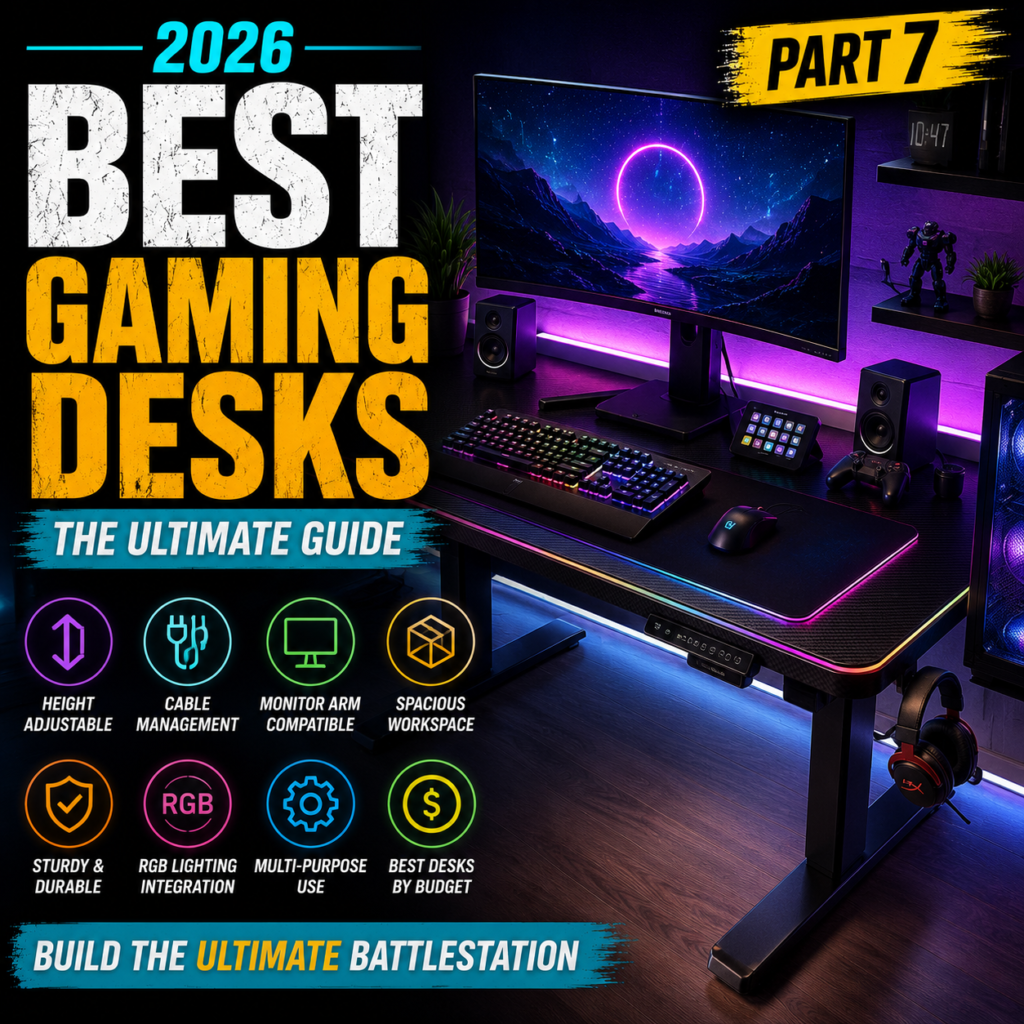
Best Gaming Desks for Your Ultimate Setup in 2026
The Ultimate Guide to Choosing the Perfect Gaming Desk
Last Updated: July 2026
A powerful gaming PC and a premium gaming chair are only part of the equation.
The foundation of every great gaming setup is a high-quality gaming desk.
Your desk determines:
- Comfort
- Available workspace
- Cable management
- Monitor positioning
- Mouse movement
- Overall gaming experience
Whether you’re building your first gaming setup or upgrading your current battle station, choosing the right desk can dramatically improve both performance and organization.
In this guide, you’ll learn:
- Why a gaming desk matters
- Gaming desks vs regular office desks
- Standing desks vs fixed desks
- The best desk sizes
- Carbon fiber vs wood desktops
- Cable management
- Monitor arm compatibility
- How to choose the perfect gaming desk
Let’s begin.
Why Your Gaming Desk Matters


6
Many gamers spend thousands of dollars on high-end hardware but continue using a desk that wasn’t designed for gaming.
A proper gaming desk provides:
- Stable mouse movement
- Better monitor positioning
- Improved posture
- More usable space
- Cleaner cable routing
- Better overall organization
A clutter-free desk also helps improve focus during competitive gaming.
Gaming Desk vs Regular Office Desk


5
Although many office desks can be used for gaming, purpose-built gaming desks include features specifically designed for PC enthusiasts.
| Feature | Gaming Desk | Office Desk |
|---|---|---|
| Cable Management | Excellent | Basic |
| Monitor Support | Optimized | Standard |
| RGB Features | Available | Rare |
| Mouse Space | Large | Varies |
| Gaming Accessories | Supported | Limited |
| Design | Modern | Professional |
Gaming desks are designed with peripherals, multiple monitors, and large mouse pads in mind.
Fixed Desk vs Standing Desk


7
One of the biggest decisions you’ll make is whether to buy a traditional fixed-height desk or an adjustable standing desk.
Fixed Gaming Desk
Advantages
- Lower price
- Simple design
- Excellent stability
- No motor required
Best For
- Budget setups
- Casual gamers
- Smaller rooms
Height-Adjustable Standing Desk
Advantages
- Alternate between sitting and standing
- Better posture
- Reduced fatigue
- Improved circulation
- Ideal for work and gaming
Many remote workers now choose standing desks because they allow greater flexibility throughout the day.
Choosing the Right Desk Size


7
Desk size is one of the most important factors when planning your gaming setup.
120 cm (47 inches)
Best For
- Small bedrooms
- Single monitor
- Compact setups
140 cm (55 inches)
Best For
- One large monitor
- Two smaller monitors
- Most gamers
160 cm (63 inches)
Best For
- Dual monitors
- Streaming
- Content creation
- Competitive gaming
180 cm (71 inches)
Perfect for:
- Triple monitors
- Ultra-wide displays
- Professional workstations
The larger the desk, the easier it becomes to organize your equipment without feeling cramped.
Desktop Materials


6
The desktop material affects durability, maintenance, and aesthetics.
Carbon Fiber Finish
Popular among gaming brands.
Advantages
- Modern appearance
- Scratch resistant
- Easy to clean
- Water resistant
Keep in mind that most “carbon fiber” gaming desks use a decorative laminate rather than real carbon fiber.
Wooden Desktop
Advantages
- Solid feel
- Timeless appearance
- Excellent durability
- Premium look
Wooden desktops are popular for gamers who also use their desk for office work.
MDF (Medium-Density Fiberboard)
The most common material in gaming desks.
Advantages
- Affordable
- Smooth surface
- Durable with proper care
Most gaming desks today use high-quality MDF combined with steel frames.
Steel Frame Construction


6
The frame is just as important as the desktop.
A strong steel frame reduces:
- Desk wobble
- Monitor vibration
- Keyboard movement
Premium desks often feature reinforced legs and crossbars for maximum stability.
If you use multiple monitors or heavy equipment, frame quality should be a top priority.
Weight Capacity
Always check the desk’s maximum weight limit.
Typical recommendations:
- Single monitor setup: 50–70 kg (110–155 lbs)
- Dual monitors: 70–100 kg (155–220 lbs)
- Triple monitors and heavy equipment: 100 kg+ (220 lbs+)
If you plan to use monitor arms, speakers, or a full streaming setup, choose a desk with a higher load capacity.
Planning Your Gaming Setup


7
Before purchasing a desk, think about everything it needs to support:
- Gaming PC
- Monitor(s)
- Keyboard
- Mouse
- Mouse pad
- Speakers
- Microphone
- Webcam
- Charging dock
- Headphone stand
Planning ahead ensures your desk remains functional as your setup grows.
The Best Gaming Desks You Can Buy in 2026
A gaming desk is more than just a place to put your PC.
The best gaming desks provide exceptional stability, intelligent cable management, generous workspace, and ergonomic flexibility for both gaming and productivity.
Whether you’re a casual gamer, professional streamer, or remote worker, these are the top gaming desks worth considering in 2026.
1. Secretlab MAGNUS Pro XL
Best Overall Gaming Desk


6
The Secretlab MAGNUS Pro XL has become one of the most desirable gaming desks thanks to its premium build quality and innovative design.
Unlike traditional desks, it features a fully integrated power column, magnetic cable management system, and height-adjustable frame.
Features
- Electric height adjustment
- Integrated power supply
- Full cable management tray
- Magnetic desk accessories
- Steel desktop
Pros
✔ Outstanding cable management
✔ Extremely sturdy
✔ Premium materials
✔ Excellent build quality
Cons
✘ Expensive
Best For
- Enthusiast gaming setups
- Streamers
- Dual-monitor users
2. FlexiSpot E7
Best Standing Gaming Desk


4
The FlexiSpot E7 is one of the highest-rated electric standing desks available.
Its dual-motor lifting system delivers smooth height adjustments while maintaining impressive stability.
Features
- Dual motors
- Programmable height presets
- Heavy weight capacity
- Quiet operation
Pros
✔ Excellent value
✔ Very stable
✔ Smooth height adjustment
✔ Ideal for work and gaming
3. IKEA UPPSPEL
Best Value Gaming Desk


4
Designed in collaboration with Republic of Gamers (ROG), the IKEA UPPSPEL blends Scandinavian simplicity with gaming-focused functionality.
Features
- Height adjustment
- Cable management
- Durable desktop
- Clean minimalist design
Advantages
✔ Affordable
✔ Excellent workspace
✔ Easy assembly
4. Arozzi Arena
Best Large Mouse Pad Desk


5
The Arozzi Arena stands out because its entire desktop is covered by a washable microfiber mouse pad.
Features
- Full-surface mouse pad
- Large desktop
- Cable management openings
- Steel frame
Pros
✔ Huge mouse space
✔ Great for low-DPI FPS gamers
✔ Excellent cable routing
5. Eureka Ergonomic Gaming Desk
Best Mid-Range Gaming Desk


Eureka Ergonomic produces gaming desks that balance price and premium features exceptionally well.
Features
- Carbon-fiber finish
- Strong steel frame
- Headphone hook
- Cup holder
- Cable tray
Pros
✔ Excellent stability
✔ Gamer-friendly accessories
✔ Great value
6. Corsair Platform:6
Best Premium Modular Desk


Corsair’s Platform:6 is designed for enthusiasts who constantly upgrade and customize their setup.
Its modular rail system allows users to add accessories as their workspace evolves.
Features
- Modular design
- Adjustable frame
- Monitor arm support
- Expandable accessories
Pros
✔ Highly customizable
✔ Premium construction
✔ Future-proof design
Cons
✘ High price
Best Budget Gaming Desks


You don’t need to spend a fortune to build a great gaming setup.
ODK Gaming Desk
- Compact design
- Affordable
- Excellent for small rooms
SEDETA Gaming Desk
- Storage shelves
- LED lighting
- Good cable organization
CubiCubi Gaming Desk
- Simple design
- Sturdy steel frame
- Great value
Perfect for beginners and students building their first gaming station.
Comparison Table
| Gaming Desk | Type | Height Adjustable | Best For | Price Tier |
|---|---|---|---|---|
| Secretlab MAGNUS Pro XL | Electric Standing | Yes | Premium Setups | Premium |
| FlexiSpot E7 | Standing Desk | Yes | Work & Gaming | Premium |
| IKEA UPPSPEL | Gaming Desk | Manual | Best Value | Mid-Range |
| Arozzi Arena | Fixed Desk | No | FPS Gaming | Mid-Range |
| Eureka Ergonomic | Fixed Desk | No | Gaming Setup | Mid-Range |
| Corsair Platform:6 | Modular Desk | Optional | Enthusiasts | Premium |
| ODK | Fixed Desk | No | Budget Setup | Budget |
| SEDETA | Fixed Desk | No | Storage Needs | Budget |
| CubiCubi | Fixed Desk | No | Beginners | Budget |
Which Gaming Desk Should You Choose?
The best gaming desk depends on your setup and daily routine.
- Choose the Secretlab MAGNUS Pro XL if you want the ultimate premium gaming desk with unmatched cable management.
- Choose the FlexiSpot E7 if you want the health benefits and flexibility of a high-quality standing desk.
- Choose the IKEA UPPSPEL if you’re looking for the best balance between price, functionality, and minimalist design.
- Choose the Arozzi Arena if you’re an FPS gamer who prefers an oversized mouse surface.
- Choose the Eureka Ergonomic if you want premium gaming features without paying flagship prices.
- Choose the Corsair Platform:6 if you enjoy upgrading and customizing your setup over time.
- Choose ODK, SEDETA, or CubiCubi if you’re building a gaming setup on a limited budget.
Cable Management, Monitor Arms & Building the Perfect Battlestation
A premium gaming desk isn’t just about appearance.
What separates an average setup from a professional battlestation is how well everything is organized.
Good cable management, proper monitor positioning, and an efficient layout improve not only aesthetics but also comfort, productivity, and gaming performance.
Let’s explore how to get the most out of your gaming desk.
Why Cable Management Matters


Messy cables can make even the most expensive gaming setup look cluttered.
More importantly, poor cable management can:
- Reduce usable desk space
- Collect dust
- Make cleaning difficult
- Increase the risk of cable damage
- Create distractions while gaming
A clean desk creates a cleaner mindset and allows you to focus on gameplay.
Essential Cable Management Accessories


Professional gaming setups often rely on inexpensive accessories to keep cables organized.
Recommended accessories:
- Under-desk cable tray
- Velcro cable ties
- Cable sleeves
- Adhesive cable clips
- Power strip mounting bracket
Using these accessories helps hide wires while making upgrades and maintenance much easier.
Monitor Arms vs Monitor Stands


One of the easiest upgrades for any gaming desk is replacing the factory monitor stand with a monitor arm.
Traditional Monitor Stand
Advantages
- Simple installation
- No extra cost
- Stable
Disadvantages
- Occupies valuable desk space
- Limited adjustment
Monitor Arm
Advantages
- Frees desk space
- Better monitor positioning
- Easier cable routing
- Cleaner appearance
- Supports ergonomic viewing angles
For dual-monitor or ultrawide setups, monitor arms are highly recommended.
Single vs Dual vs Triple Monitor Setups


Your ideal desk layout depends on how you use your computer.
Single Monitor
Perfect for:
- Competitive FPS
- Small desks
- Minimalist setups
Dual Monitors
Ideal for:
- Streaming
- Discord
- Web browsing
- Content creation
Triple Monitors
Best for:
- Flight simulators
- Racing simulators
- Professional multitasking
Keep in mind that larger monitor setups require wider desks and stronger monitor arms.
L-Shaped vs Straight Gaming Desks


Choosing the right desk shape depends on your room and workflow.
Straight Desk
Advantages
- Fits most rooms
- Easier to position
- Cleaner layout
- Great for single or dual monitors
L-Shaped Desk
Advantages
- Massive workspace
- Dedicated work and gaming areas
- Excellent for multitasking
- Great for streamers
L-shaped desks are ideal if you regularly switch between gaming, editing, and office work.
RGB Lighting Integration


RGB lighting isn’t just about aesthetics.
Proper ambient lighting can reduce eye strain when gaming in darker rooms.
Popular lighting options include:
- LED light strips
- Monitor backlighting
- Desk edge lighting
- Smart RGB lamps
- Wall light panels
A subtle lighting setup creates a more immersive environment without becoming distracting.
Standing Desks: Health Benefits


Height-adjustable desks have become increasingly popular because they encourage movement throughout the day.
Potential benefits include:
- Improved posture
- Reduced lower-back discomfort
- Better circulation
- Increased energy
- Less sitting time
Many users alternate between sitting and standing every 30–60 minutes to stay comfortable during long work or gaming sessions.
Cleaning & Maintenance Tips


A well-maintained desk lasts longer and keeps your setup looking professional.
Recommended routine:
- Dust weekly with a microfiber cloth
- Clean spills immediately
- Tighten frame bolts every few months
- Wipe monitor arms and accessories regularly
- Keep ventilation areas free from dust
Avoid harsh chemicals that may damage desk finishes.
Common Gaming Desk Buying Mistakes


Avoid these common mistakes:
❌ Buying a desk that’s too small
❌ Ignoring monitor arm compatibility
❌ Choosing appearance over stability
❌ Forgetting about cable management
❌ Underestimating future upgrades
❌ Ignoring weight capacity
❌ Purchasing without measuring your room
Planning ahead helps ensure your desk continues to meet your needs as your gaming setup evolves.
Building the Ultimate Gaming Battlestation
A great gaming desk should support your entire ecosystem.
A balanced setup typically includes:
- Gaming PC
- Gaming monitor(s)
- Mechanical keyboard
- Gaming mouse
- XL mouse pad
- Monitor arm
- Headset stand
- Speakers
- Microphone
- Webcam
- Cable management system
- RGB ambient lighting
When every component works together, the result is a clean, efficient, and comfortable workspace that enhances both gaming performance and everyday productivity.
Buying Guide, FAQ & Final Recommendations
A gaming desk is more than furniture—it’s the foundation of your entire setup.
From competitive FPS gaming to streaming, content creation, and remote work, the right desk improves comfort, organization, and productivity every single day.
Now that we’ve explored desk types, materials, cable management, and the best models available, let’s summarize everything with practical buying advice.
Best Gaming Desks by Budget


Choosing the right gaming desk depends on both your budget and your needs.
Under $150
Recommended Models
- CubiCubi Gaming Desk
- ODK Gaming Desk
- SEDETA Gaming Desk
Best For
- Students
- First gaming setup
- Small bedrooms
$150–$350
Recommended Models
- Eureka Ergonomic Gaming Desk
- IKEA UPPSPEL
- Arozzi Arena
Best For
- Most gamers
- Dual-monitor setups
- Home office users
$350–$700
Recommended Models
- FlexiSpot E7
- Secretlab MAGNUS Pro
Best For
- Remote workers
- Streamers
- Competitive gamers
$700+
Recommended Models
- Secretlab MAGNUS Pro XL
- Corsair Platform:6
Best For
- Professional creators
- Premium battlestations
- Large multi-monitor setups
Which Gaming Desk Is Right for You?


Competitive FPS Players
Priorities:
- Stable desktop
- Large mouse space
- Clean cable management
Recommended
- Secretlab MAGNUS Pro XL
- Arozzi Arena
Streamers & Content Creators
Priorities:
- Multiple monitors
- Camera equipment
- Microphones
- Cable organization
Recommended
- Corsair Platform:6
- FlexiSpot E7
Work & Gaming Hybrid Users
Priorities:
- Ergonomics
- Height adjustment
- Spacious desktop
Recommended
- FlexiSpot E7
- IKEA UPPSPEL
Budget Gamers
Priorities:
- Affordability
- Stability
- Expandability
Recommended
- CubiCubi
- ODK
- SEDETA
Gaming Desk Buying Checklist
Before purchasing your gaming desk, ask yourself:
✅ Does it fit my room?
✅ Is it wide enough for my monitor setup?
✅ Will it support monitor arms?
✅ Is cable management included?
✅ Is the frame sturdy enough?
✅ Does it provide enough space for an XL mouse pad?
✅ Will it accommodate future upgrades?
Thinking ahead can save you from replacing your desk sooner than expected.
Frequently Asked Questions (FAQ)
What size gaming desk is best?
For most gamers, a 140–160 cm (55–63 inch) desk offers the best balance between workspace and room efficiency.
If you plan to use multiple monitors or stream regularly, a 160–180 cm desk is the better choice.
Are standing desks worth it?
Yes.
Standing desks allow you to alternate between sitting and standing, which can help reduce fatigue, improve posture, and make long work or gaming sessions more comfortable.
Is an L-shaped desk better?
It depends on your workspace.
L-shaped desks are ideal for users who combine gaming, work, editing, or streaming, while straight desks fit more easily into most rooms and are perfect for traditional gaming setups.
Can I use a regular office desk for gaming?
Absolutely.
However, gaming desks often provide larger surfaces, better cable management, and improved compatibility with gaming accessories such as monitor arms and headset holders.
How much weight should a gaming desk support?
A quality gaming desk should comfortably support:
- Gaming PC
- One or more monitors
- Speakers
- Monitor arms
- Accessories
A weight capacity of 70–100 kg (155–220 lbs) is sufficient for most gaming setups.
How long does a gaming desk last?
A well-built gaming desk with a steel frame can easily last 10 years or more with proper care and maintenance.
Final Recommendations


After reviewing the best gaming desks of 2026, here are our top picks.
🏆 Best Overall
Secretlab MAGNUS Pro XL
The ultimate gaming desk with exceptional cable management, premium construction, electric height adjustment, and one of the cleanest designs available.
🏆 Best Standing Desk
FlexiSpot E7
An outstanding choice for gamers and professionals who want ergonomic flexibility throughout the day.
🏆 Best Value
IKEA UPPSPEL
A smart combination of functionality, modern design, and affordability, making it one of the best values on the market.
🏆 Best for FPS Gaming
Arozzi Arena
Its oversized microfiber desktop provides an enormous mousing surface, making it an excellent choice for low-DPI competitive gamers.
🏆 Best Premium Modular Desk
Corsair Platform:6
Perfect for enthusiasts who want a customizable workspace that can grow alongside their gaming setup.
Conclusion
Your gaming desk is the centerpiece of your setup.
It supports every piece of equipment you use, influences your posture, and determines how organized your workspace feels.
Rather than focusing only on aesthetics, prioritize stability, ergonomics, cable management, and enough space for future upgrades.
A thoughtfully chosen gaming desk will enhance your gaming experience and remain a reliable part of your setup for years to come.
Next Article Preview
Article 8: Best Gaming Monitor Arms for Clean Desk Setups in 2026
In the next guide, we’ll explore:
- Single vs Dual Monitor Arms
- Gas Spring vs Mechanical Arms
- VESA Compatibility Explained
- Weight Capacity & Monitor Sizes
- Cable Management Features
- Best Monitor Arms by Budget
- Installation Tips
- FAQ
- Final Recommendations
A quality monitor arm is one of the easiest upgrades you can make to create a cleaner desk, improve ergonomics, and maximize your gaming workspace. Don’t miss the next article in our 2026 Ultimate Gaming Setup Guide series.