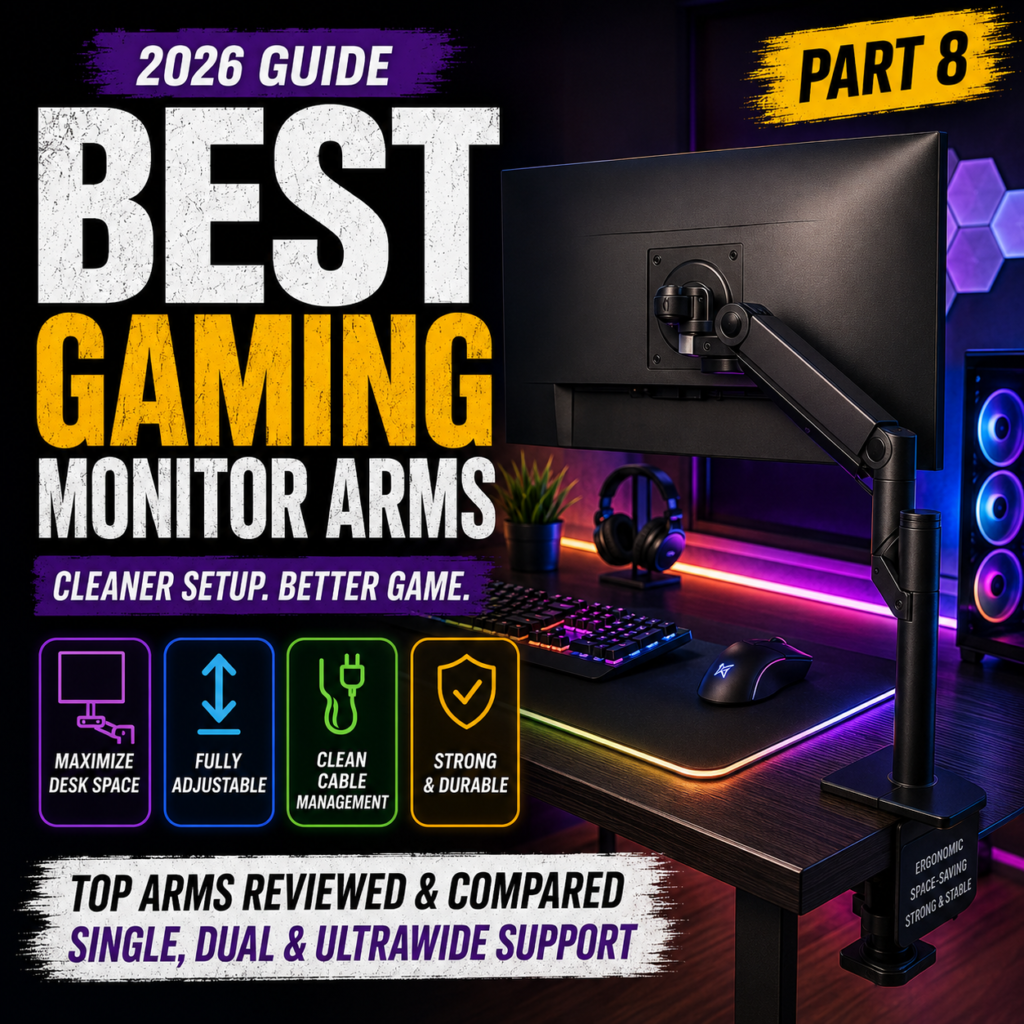
Best Gaming Monitor Arms for Clean Desk Setups in 2026
Everything You Need to Know Before Buying a Monitor Arm
Last Updated: July 2026
A monitor arm is one of the simplest upgrades that can completely transform your gaming setup.
Many gamers spend thousands of dollars on high-end monitors, graphics cards, and gaming desks, yet continue using the stock monitor stand that came in the box.
A quality monitor arm can:
- Free up valuable desk space
- Improve ergonomics
- Reduce neck and shoulder strain
- Create a cleaner battlestation
- Make cable management much easier
- Support multi-monitor configurations
Whether you’re a competitive FPS player, a streamer, or someone who works from home, choosing the right monitor arm can significantly improve your overall experience.
In this guide, you’ll learn:
- Why monitor arms matter
- Single vs dual monitor arms
- Gas spring vs mechanical arms
- VESA compatibility
- Weight capacity
- Desk compatibility
- How to choose the best monitor arm
Let’s get started.
Why Use a Monitor Arm?


Traditional monitor stands take up a surprising amount of desk space.
A monitor arm lifts the display off the desk, giving you:
- More mouse movement
- Better keyboard positioning
- Cleaner cable routing
- Improved viewing angles
- More organized workspace
For gamers using XL mouse pads or low DPI settings, every inch of extra desk space matters.
Monitor Arm vs Stock Monitor Stand


Many people don’t realize how much space their monitor stand occupies until they replace it.
| Feature | Stock Stand | Monitor Arm |
|---|---|---|
| Desk Space | Limited | Excellent |
| Height Adjustment | Limited | Excellent |
| Tilt & Swivel | Basic | Extensive |
| Rotation | Sometimes | Usually Included |
| Cable Management | Minimal | Built-In |
| Workspace Appearance | Standard | Premium |
Monitor arms provide significantly greater flexibility, making it easier to maintain proper posture during long gaming or work sessions.
Single vs Dual Monitor Arms


Choosing between a single or dual monitor arm depends on your workflow.
Single Monitor Arm
Best for:
- Competitive gamers
- Small desks
- Minimalist setups
- One ultrawide monitor
Advantages:
- Easier installation
- Lower cost
- Maximum flexibility
Dual Monitor Arm
Ideal for:
- Streamers
- Remote workers
- Content creators
- Multitasking
Advantages:
- Better organization
- Symmetrical monitor positioning
- Saves even more desk space
If you frequently use Discord, OBS Studio, YouTube, or web browsers while gaming, a dual monitor arm is often the better investment.
Gas Spring vs Mechanical Monitor Arms


Not all monitor arms move the same way.
The lifting mechanism is one of the biggest differences.
Gas Spring Arms
These use an internal gas cylinder to counterbalance the monitor’s weight.
Advantages:
- Smooth movement
- Easy adjustments
- Premium feel
- Ideal for frequent repositioning
Perfect for:
- Streamers
- Designers
- Gamers who frequently change monitor positions
Mechanical Arms
Mechanical monitor arms use springs or fixed joints.
Advantages:
- Lower price
- Reliable stability
- Simple design
Best for:
- Budget setups
- Users who rarely adjust their monitors
Understanding VESA Mount Compatibility


Before purchasing a monitor arm, verify that your monitor supports the VESA mounting standard.
The two most common sizes are:
VESA 75 × 75 mm
Typically found on:
- 24-inch monitors
- 25-inch esports displays
VESA 100 × 100 mm
Common on:
- 27-inch monitors
- 32-inch monitors
- Ultrawide displays
Some premium gaming monitors require a manufacturer-specific adapter, so always check compatibility before purchasing.
Weight Capacity Matters


Every monitor arm has a maximum supported weight.
Buying an arm that cannot properly support your monitor may cause:
- Sagging
- Unstable positioning
- Limited adjustment
- Long-term damage to the arm
Typical recommendations:
| Monitor Size | Recommended Capacity |
|---|---|
| 24–27 inch | 2–9 kg (4.4–20 lbs) |
| 32 inch | 5–12 kg (11–26 lbs) |
| 34-inch Ultrawide | 8–14 kg (18–31 lbs) |
| 49-inch Super Ultrawide | 12–20 kg (26–44 lbs) |
Always check both the monitor’s weight (without its stand) and the arm’s supported range.
Clamp Mount vs Grommet Mount


There are two common installation methods.
Clamp Mount
- Fast installation
- No drilling required
- Fits most gaming desks
- Easy to remove
Grommet Mount
- Cleaner appearance
- Extremely secure
- Ideal for permanent setups
- Requires a cable hole or drilled opening
Most users choose clamp mounting because it is quick, reliable, and compatible with the majority of gaming desks.
Is a Monitor Arm Worth It?
Absolutely.
Compared to many gaming accessories, a monitor arm offers one of the highest returns for a relatively small investment.
Benefits include:
- Better posture
- Increased desk space
- Cleaner setup
- Easier cable management
- Improved monitor positioning
- More professional-looking battlestation
If you’re upgrading your setup in 2026, a monitor arm is one of the smartest purchases you can make.
The Best Gaming Monitor Arms You Can Buy in 2026
A high-quality monitor arm is one of the best upgrades for any gaming setup. It frees valuable desk space, improves ergonomics, and creates a cleaner, more professional battlestation.
Whether you use a single 27-inch monitor or a massive 49-inch ultrawide display, there’s a monitor arm designed for your needs.
In this guide, we’ll review the best gaming monitor arms available in 2026.
1. Ergotron LX
Best Overall Monitor Arm


The Ergotron LX has long been considered the gold standard for premium monitor arms.
Its smooth gas spring mechanism, exceptional durability, and outstanding adjustability make it a favorite among gamers, streamers, and professionals.
Features
- Premium gas spring mechanism
- Excellent cable management
- Supports VESA 75×75 and 100×100
- Smooth height adjustment
- Rotates, tilts, and swivels effortlessly
Pros
✔ Industry-leading build quality
✔ Silent movement
✔ Long lifespan
✔ Excellent ergonomics
Cons
✘ Premium price
Best For
- Competitive gamers
- Professionals
- Long-term setups
2. Secretlab MAGNUS Monitor Arm
Best for Secretlab Gaming Desks


Designed specifically for the Secretlab MAGNUS desk series, this monitor arm blends seamlessly into the desk’s magnetic cable management system.
Features
- Hidden cable routing
- Premium aluminum construction
- Smooth gas spring adjustment
- Excellent aesthetics
Pros
✔ Perfect integration with MAGNUS desks
✔ Premium finish
✔ Extremely clean appearance
Best For
- Secretlab desk owners
- Minimalist battlestations
3. HUANUO Dual Monitor Arm
Best Budget Dual Monitor Arm


HUANUO has become one of the most popular budget-friendly monitor arm brands thanks to its excellent value.
Features
- Dual monitor support
- Gas spring movement
- Easy installation
- Integrated cable clips
Pros
✔ Excellent price
✔ Smooth adjustments
✔ Great for dual-monitor gaming
Best For
- Budget gamers
- Streamers
- Home office users
4. VIVO Premium Monitor Arm
Best Value for Money


VIVO offers reliable monitor arms at affordable prices while maintaining excellent build quality.
Features
- Gas spring lift
- Clamp & grommet installation
- Wide adjustment range
- Strong steel construction
Advantages
✔ Great value
✔ Easy setup
✔ Stable performance
5. Amazon Basics Premium Monitor Arm
Best Simple Premium Option


Originally inspired by Ergotron’s design, the Amazon Basics Premium Monitor Arm remains a dependable choice.
Features
- Smooth movement
- Professional appearance
- Excellent stability
- Easy installation
Pros
✔ Reliable
✔ Durable
✔ Minimal design
Cons
✘ Limited availability in some regions
6. North Bayou (NB) Monitor Arm
Best Entry-Level Monitor Arm


North Bayou (NB) offers impressive performance at a very affordable price, making it a favorite among first-time buyers.
Features
- Gas spring mechanism
- VESA compatibility
- Compact design
- Affordable pricing
Pros
✔ Excellent beginner option
✔ Easy installation
✔ Surprisingly smooth movement
Best Monitor Arms for Ultrawide Monitors


Large ultrawide monitors require stronger monitor arms with higher weight capacities.
Recommended models:
Ergotron HX
Ideal for:
- Samsung Odyssey G9
- LG 49-inch Ultrawide
- Dell UltraSharp 49
Secretlab Heavy Duty Arm
Perfect for premium gaming battlestations with large curved displays.
Always verify the monitor’s weight (without its stand) before purchasing.
Comparison Table
| Monitor Arm | Type | Monitor Support | Best For | Price Tier |
|---|---|---|---|---|
| Ergotron LX | Gas Spring | Single | Best Overall | Premium |
| Secretlab MAGNUS Arm | Gas Spring | Single | MAGNUS Desk Owners | Premium |
| HUANUO Dual Arm | Gas Spring | Dual | Best Budget Dual | Mid-Range |
| VIVO Premium | Gas Spring | Single | Best Value | Mid-Range |
| Amazon Basics Premium | Gas Spring | Single | Office & Gaming | Mid-Range |
| North Bayou (NB) | Gas Spring | Single | Beginners | Budget |
| Ergotron HX | Heavy Duty | Ultrawide | 49-inch Monitors | Premium |
Which Monitor Arm Should You Buy?
- Choose the Ergotron LX if you want the best all-around monitor arm with outstanding durability and adjustability.
- Choose the Secretlab MAGNUS Monitor Arm if you already own a Secretlab MAGNUS desk and want a seamless, integrated setup.
- Choose the HUANUO Dual Monitor Arm if you’re building a dual-monitor gaming or streaming workstation on a budget.
- Choose the VIVO Premium Monitor Arm if you want excellent performance at a reasonable price.
- Choose the Amazon Basics Premium Monitor Arm for a dependable, minimalist solution suitable for both gaming and office work.
- Choose the North Bayou Monitor Arm if you’re looking for an affordable first monitor arm without sacrificing essential features.
- Choose the Ergotron HX if you’re using a heavy 49-inch ultrawide monitor and need maximum stability.
Proper Positioning, Ergonomics & Creating the Perfect Gaming Workspace
Buying a great monitor arm is only the first step.
To maximize its benefits, you need to position your monitor correctly. Proper monitor placement improves posture, reduces neck strain, minimizes eye fatigue, and creates a more immersive gaming experience.
In this part, we’ll cover how to optimize your monitor arm for comfort, productivity, and competitive gaming.
Finding the Perfect Monitor Height


One of the biggest advantages of a monitor arm is adjustable height.
Recommended Position
- The top edge of the screen should be at or slightly below eye level.
- Your neck should remain in a neutral position.
- Your shoulders should stay relaxed.
- Avoid looking up or down for long periods.
This position helps reduce neck and shoulder fatigue during extended gaming sessions.
Ideal Viewing Distance


Monitor distance depends on screen size and resolution.
| Monitor Size | Recommended Distance |
|---|---|
| 24-inch | 50–70 cm (20–28 in) |
| 27-inch | 60–80 cm (24–31 in) |
| 32-inch | 70–90 cm (28–35 in) |
| 34–49-inch Ultrawide | 80–110 cm (31–43 in) |
Sitting too close can increase eye fatigue, while sitting too far may reduce visibility in competitive games.
Tilt, Swivel & Rotation


Modern monitor arms offer three primary adjustment options.
Tilt
Use a slight backward tilt (about 10–20°) to reduce glare and improve viewing comfort.
Swivel
Swivel allows you to rotate the monitor left or right without moving the base, making it useful for collaborative work or changing seating positions.
Rotation
Many monitor arms support 90° rotation, allowing you to switch between landscape and portrait orientation.
Landscape vs Portrait Orientation


Most gamers use landscape orientation for their main display, but portrait mode has several advantages.
Landscape
Best for:
- Gaming
- Movies
- General use
Portrait
Best for:
- Coding
- Reading documentation
- Discord
- Web browsing
- Chat applications
Many streamers use one landscape monitor for gaming and one portrait monitor for communication and monitoring.
Side-by-Side vs Stacked Monitors


There are two common ways to arrange dual monitors.
Side-by-Side
Advantages
- Natural viewing angle
- Ideal for gaming and streaming
- Easy multitasking
Stacked
Advantages
- Saves desk width
- Great for ultrawide monitors
- Excellent for editing and programming
For most gamers, side-by-side remains the most comfortable arrangement.
Cable Management Tips


6
One of the biggest benefits of monitor arms is hidden cable routing.
Best practices include:
- Route cables through the arm whenever possible.
- Use reusable Velcro straps instead of plastic zip ties.
- Mount the power strip under the desk.
- Leave enough slack for full arm movement.
- Separate power cables from signal cables to reduce clutter.
A well-organized cable setup makes your battlestation easier to maintain and upgrade.
Common Installation Mistakes


5
Avoid these common mistakes:
❌ Buying a monitor arm without checking VESA compatibility.
❌ Exceeding the arm’s weight capacity.
❌ Overtightening the gas spring.
❌ Installing the clamp on a weak or hollow desk.
❌ Forgetting to tighten pivot joints after installation.
❌ Pulling cables too tightly, restricting monitor movement.
Taking a few extra minutes during installation can prevent long-term issues.
Maintenance & Cleaning


5
Monitor arms require very little maintenance, but regular care helps extend their lifespan.
Recommended routine:
- Dust weekly with a microfiber cloth.
- Tighten screws every few months.
- Inspect cable routing after moving the arm.
- Clean moving joints if dust accumulates.
- Avoid using harsh chemical cleaners.
A properly maintained monitor arm can last for many years.
Creating the Ultimate Clean Battlestation


6
For a truly organized setup, combine your monitor arm with:
- Height-adjustable gaming desk
- Mechanical keyboard
- Wireless gaming mouse
- XL mouse pad
- Under-desk cable tray
- Headset stand
- RGB ambient lighting
- Wireless charging dock
Together, these upgrades create a workspace that’s comfortable, functional, and visually impressive.
Buying Guide, FAQ & Final Recommendations
A monitor arm is one of the most cost-effective upgrades you can make for your gaming setup.
It improves ergonomics, creates more usable desk space, enhances cable management, and gives your battlestation a cleaner, more professional appearance.
Whether you’re a casual gamer, a competitive esports player, or a full-time content creator, the right monitor arm can make every gaming session more comfortable.
Let’s wrap up this guide with the best recommendations, buying advice, and answers to common questions.
Best Monitor Arms by Budget


6
Choosing the right monitor arm starts with your budget.
Under $50
Recommended Models
- North Bayou F80
- HUANUO Single Monitor Arm
- VIVO Basic Monitor Arm
Best For
- Students
- Casual gamers
- Home office users
$50–100
Recommended Models
- VIVO Premium Monitor Arm
- Amazon Basics Premium Monitor Arm
- HUANUO Dual Monitor Arm
Best For
- Most gamers
- Dual-monitor setups
- Streamers
$100–200
Recommended Models
- Ergotron LX
- Secretlab MAGNUS Monitor Arm
Best For
- Professional gaming setups
- Long-term use
- Premium battlestations
$200+
Recommended Models
- Ergotron HX
- Heavy-duty ultrawide monitor arms
Best For
- 49-inch ultrawide monitors
- Professional creators
- Sim racing and flight simulation setups
Which Monitor Arm Is Right for You?


6
Competitive FPS Players
Priorities:
- Stable monitor positioning
- Maximum desk space
- Easy adjustment
Recommended:
- Ergotron LX
- Secretlab MAGNUS Monitor Arm
Streamers & Content Creators
Priorities:
- Dual-monitor support
- Flexible positioning
- Clean cable management
Recommended:
- HUANUO Dual Monitor Arm
- Ergotron LX Dual Setup
Remote Workers
Priorities:
- Ergonomic comfort
- Height adjustment
- Smooth movement
Recommended:
- Amazon Basics Premium
- VIVO Premium
Ultrawide Monitor Users
Priorities:
- High weight capacity
- Heavy-duty construction
- Reliable stability
Recommended:
- Ergotron HX
- Secretlab Heavy Duty Monitor Arm
Monitor Arm Buying Checklist
Before buying a monitor arm, make sure you check the following:
✅ VESA compatibility (75×75 or 100×100)
✅ Monitor weight without the stand
✅ Maximum supported screen size
✅ Desk thickness compatibility
✅ Clamp or grommet mounting option
✅ Gas spring or mechanical mechanism
✅ Cable management channels
✅ Future upgrade compatibility
Taking a few minutes to verify these specifications can prevent compatibility issues later.
Frequently Asked Questions (FAQ)
Are monitor arms worth buying?
Yes.
A monitor arm improves posture, frees desk space, simplifies cable management, and creates a cleaner workspace. For most users, it’s one of the best value upgrades available.
Do all monitors work with monitor arms?
No.
Your monitor must support the VESA mounting standard, usually 75×75 mm or 100×100 mm.
Some monitors require a manufacturer-specific VESA adapter.
Can a monitor arm damage my desk?
Not if it’s installed correctly.
Most quality monitor arms include protective pads that prevent scratches and distribute pressure evenly across the desk surface.
Can monitor arms support ultrawide monitors?
Yes, but only if the arm is rated for the monitor’s weight and size.
Large curved displays such as 49-inch ultrawide monitors require heavy-duty arms like the Ergotron HX.
How long do monitor arms last?
Premium monitor arms typically last 10 years or more with proper care and occasional maintenance.
Is a dual monitor arm better than two single arms?
It depends on your setup.
- Dual monitor arms provide a cleaner appearance and easier cable management.
- Two single arms offer greater flexibility if you frequently reposition each monitor independently.
Final Recommendations

6
After reviewing the top monitor arms of 2026, here are our overall recommendations.
🏆 Best Overall
Ergotron LX
The best all-around monitor arm thanks to its exceptional durability, smooth movement, and industry-leading ergonomics.
🏆 Best Premium Choice
Secretlab MAGNUS Monitor Arm
Designed to integrate perfectly with the MAGNUS desk series, offering a sleek appearance and outstanding cable management.
🏆 Best Value
VIVO Premium Monitor Arm
A reliable and affordable option that delivers excellent performance for most gaming setups.
🏆 Best Budget Option
North Bayou F80
An excellent entry-level monitor arm that offers surprising quality for its price.
🏆 Best Dual Monitor Setup
HUANUO Dual Monitor Arm
A fantastic choice for gamers, streamers, and professionals who need two displays without spending a premium.
🏆 Best for Ultrawide Monitors
Ergotron HX
The ideal solution for heavy 34-inch to 49-inch ultrawide displays, delivering unmatched stability and adjustability.
Conclusion
A gaming monitor arm is a small upgrade that makes a big difference.
It helps you maintain proper posture, creates more usable desk space, improves cable management, and gives your setup a cleaner, more professional look.
Whether you’re building your first battlestation or refining an existing one, investing in a quality monitor arm is a decision you’ll appreciate every day.
Next Article Preview
Article 9: Best Gaming Webcams for Streaming & Content Creation in 2026
In the next guide, we’ll cover:
- Why Gamers Need a Quality Webcam
- 1080p vs 4K Webcams
- Autofocus & Low-Light Performance
- USB vs HDMI Cameras
- Best Webcams for Twitch & YouTube
- Budget vs Premium Models
- Buying Guide
- FAQ
- Final Recommendations
Whether you’re streaming on Twitch, creating YouTube videos, or joining online meetings, we’ll help you choose the best webcam for your setup.