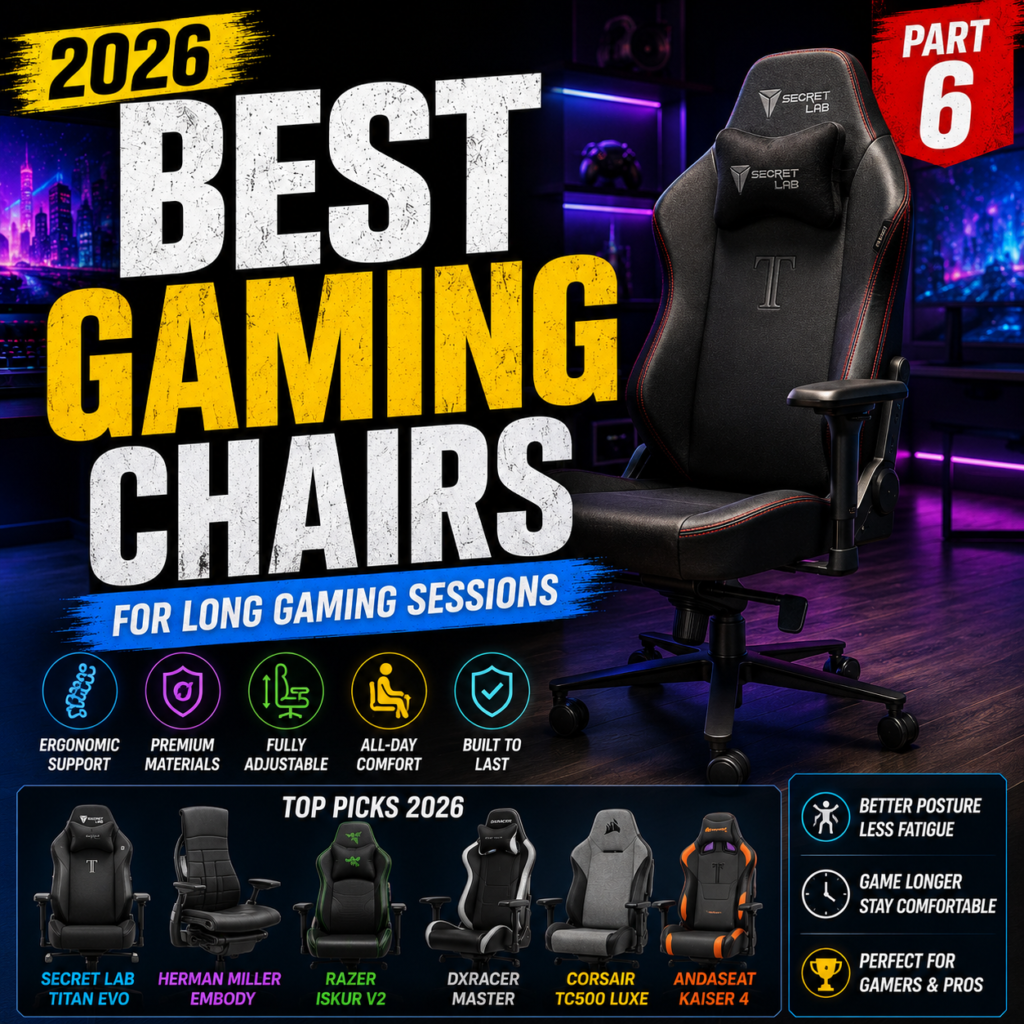
Best Gaming Chairs for Long Gaming Sessions in 2026
The Ultimate Guide to Choosing a Comfortable and Ergonomic Gaming Chair
Last Updated: July 2026
A high-performance gaming PC, premium monitor, and mechanical keyboard can all enhance your gaming experience—but there’s one piece of equipment many gamers overlook:
Your chair.
Whether you’re climbing the ranked ladder in Counter-Strike 2, grinding Valorant, streaming on Twitch, or working from home, the chair you sit in affects far more than comfort.
The right gaming chair can help improve:
- Posture
- Focus
- Back support
- Blood circulation
- Neck comfort
- Long-term spinal health
- Overall gaming endurance
Many professional gamers and content creators spend 8–12 hours a day sitting. Without proper ergonomic support, long sessions can lead to back pain, neck stiffness, shoulder fatigue, and poor posture.
In this guide, you’ll learn:
- Why your gaming chair matters
- Gaming chairs vs office chairs
- Racing-style vs ergonomic chairs
- Leather vs fabric vs mesh
- Essential ergonomic features
- How to choose the perfect chair for your body type
Let’s get started.
Why Your Gaming Chair Matters


Many gamers spend thousands of dollars upgrading their PC but continue using an uncomfortable chair.
The result?
- Lower back pain
- Poor posture
- Neck strain
- Reduced concentration
- Faster fatigue
A quality gaming chair supports your body so your muscles don’t have to work overtime just to keep you upright.
Benefits include:
- Better posture
- Reduced pressure on the spine
- Improved circulation
- Increased comfort
- Less fatigue during marathon sessions
Think of your chair as an investment in both your gaming performance and your long-term health.
Gaming Chair vs Office Chair


One of the biggest questions buyers ask is whether they should purchase a gaming chair or a traditional office chair.
The answer depends on your priorities.
| Feature | Gaming Chair | Office Chair |
|---|---|---|
| Appearance | Bold, sporty | Professional |
| Head Support | Excellent | Varies |
| Recline Angle | Often up to 180° | Usually 110–135° |
| Side Bolsters | Yes | No |
| Ergonomic Design | Good | Often excellent |
| Long Office Work | Good | Excellent |
Gaming chairs focus on immersive aesthetics and adjustable features, while premium office chairs prioritize long-term ergonomic support.
For users who spend their day working and evenings gaming, both categories deserve consideration.
Racing-Style Gaming Chairs


Most gaming chairs on the market are inspired by racing car seats.
Common features include:
- High backrest
- Shoulder wings
- Bucket-style seat
- Large headrest
- Adjustable lumbar cushion
- Reclining backrest
Advantages:
✔ Aggressive gaming appearance
✔ Excellent recline range
✔ Strong neck support
✔ Popular among streamers
Disadvantages:
✘ Side bolsters may feel restrictive for larger users
✘ Some budget models prioritize looks over ergonomics
Ergonomic Gaming Chairs


A growing number of manufacturers now design gaming chairs with ergonomics as the highest priority.
Instead of copying racing seats, these models focus on supporting the natural curve of the spine.
Key benefits include:
- Dynamic lumbar support
- Adjustable headrest
- Flexible backrest
- Better weight distribution
- Improved airflow
Many adults who work from home prefer ergonomic gaming chairs because they remain comfortable for extended periods.
Leather vs Fabric vs Mesh
Choosing the right upholstery is just as important as choosing the chair itself.
Each material offers different strengths.
PU Leather


PU leather remains the most common material used in gaming chairs.
Advantages:
- Easy to clean
- Premium appearance
- Water resistant
- Durable with proper care
Disadvantages:
- Can become warm during summer
- Less breathable than fabric or mesh
Ideal for gamers who want a sleek, premium-looking setup.
Fabric Chairs


Fabric gaming chairs have become increasingly popular over the past few years.
Advantages:
- Softer feel
- Better breathability
- Cooler during long sessions
- Comfortable in warmer climates
Disadvantages:
- Harder to clean
- Can absorb spills
Many gamers who play for several hours every day appreciate the improved airflow.
Mesh Chairs


Mesh is the gold standard for breathability.
Advantages:
- Outstanding airflow
- Keeps your back cool
- Excellent posture support
- Ideal for hot environments
Disadvantages:
- Less padded than traditional gaming chairs
- Sporty racing aesthetic is usually absent
For users in warmer climates or without air conditioning, mesh can make a noticeable difference.
Essential Ergonomic Features
Before purchasing any gaming chair, look for these features:
- Adjustable seat height
- Adjustable armrests
- Reclining backrest
- Lumbar support
- Headrest support
- Tilt mechanism
- Durable steel frame
- High-density foam
- Smooth caster wheels
These adjustments allow the chair to fit your body rather than forcing your body to fit the chair.
Why Adjustability Is More Important Than Price


An expensive chair that doesn’t fit your body can be less comfortable than a mid-range chair with excellent adjustability.
When shopping, prioritize:
- Lumbar support position
- Armrest height
- Recline angle
- Seat depth
- Seat height
A chair that adapts to your body promotes better posture and reduces fatigue over time.
The Best Gaming Chairs You Can Buy in 2026
Whether you’re gaming for a few hours after work or spending an entire day streaming, coding, or competing, your chair directly impacts your comfort, posture, and long-term health.
The best gaming chairs in 2026 combine ergonomic engineering with premium materials and adjustability to support long gaming sessions without causing unnecessary fatigue.
Let’s take a look at the top models available this year.
1. Secretlab TITAN Evo
Best Overall Gaming Chair


The Secretlab TITAN Evo continues to be one of the most popular premium gaming chairs in the world.
Its built-in lumbar support system, magnetic accessories, and exceptional build quality make it a favorite among gamers and professionals alike.
Features
- Integrated 4-way lumbar support
- Magnetic memory foam head pillow
- Cold-cure foam cushion
- Multi-tilt mechanism
- 4D armrests
Pros
✔ Outstanding build quality
✔ Excellent long-term comfort
✔ Premium materials
✔ Multiple sizes available
Cons
✘ Premium price
Best For
- Competitive gamers
- Streamers
- Remote workers
2. Herman Miller x Logitech G Embody
Best Ergonomic Gaming Chair


Designed through a collaboration between Herman Miller and Logitech G, the Embody is widely considered one of the most ergonomic chairs available.
Instead of thick foam, it supports your body through dynamic pressure distribution and flexible spinal support.
Features
- Pixelated support system
- Dynamic backrest
- Breathable design
- Pressure distribution technology
Pros
✔ Industry-leading ergonomics
✔ Outstanding posture support
✔ Exceptional comfort for long sessions
Cons
✘ Very expensive
Best For
Gamers and professionals who sit for 8–12 hours daily.
3. Razer Iskur V2
Best Lumbar Support


Razer redesigned the Iskur series with a more flexible lumbar support system and improved ergonomics.
The adjustable lumbar mechanism automatically adapts to different sitting positions.
Features
- Adaptive lumbar support
- High-density foam
- 4D armrests
- Premium upholstery
Pros
✔ Excellent lower-back support
✔ Comfortable seat cushion
✔ Premium design
Cons
✘ Heavy chair
4. DXRacer Master
Best Adjustable Gaming Chair


DXRacer helped popularize gaming chairs years ago, and the Master series represents one of its best products.
It focuses on adjustability and premium comfort.
Highlights
- Integrated lumbar support
- Memory foam headrest
- High-density foam
- Reclines up to 155°
Ideal for users who enjoy customizing their seating position.
5. Corsair TC500 Luxe
Best New Premium Gaming Chair


The TC500 Luxe is designed with a wider seat base, making it comfortable for users of various body types.
Features
- Wide ergonomic seat
- Adjustable lumbar pillow
- Premium fabric or leather options
- Steel frame
Pros
✔ Spacious seating
✔ Excellent comfort
✔ Modern styling
6. AndaSeat Kaiser 4
Best Chair for Larger Gamers


The Kaiser 4 is built with larger users in mind while maintaining premium ergonomics.
Features
- Extra-wide seat
- Built-in lumbar support
- Heavy-duty frame
- Premium upholstery
Advantages
✔ Excellent stability
✔ Spacious design
✔ Strong weight capacity
Best Budget Gaming Chairs


You don’t need to spend over $500 to enjoy a comfortable gaming chair.
Here are three excellent budget choices.
GTPLAYER Gaming Chair
- Affordable
- Comfortable padding
- Reclining backrest
- Great for beginners
Dowinx Gaming Chair
- Fabric options
- Pocket spring cushion
- Good lumbar support
Homall Gaming Chair
- Budget-friendly
- Easy assembly
- Popular entry-level option
Perfect for students and first-time PC gamers.
Comparison Table
| Chair | Material | Lumbar Support | Best For | Price Tier |
|---|---|---|---|---|
| Secretlab TITAN Evo | Leather / Fabric | Integrated | Overall Best | Premium |
| Herman Miller Embody | Fabric | Dynamic | Ergonomics | Luxury |
| Razer Iskur V2 | Leather | Adaptive | Back Support | Premium |
| DXRacer Master | Leather | Integrated | Adjustability | Premium |
| Corsair TC500 Luxe | Fabric / Leather | Pillow | Comfort | Mid-Premium |
| AndaSeat Kaiser 4 | Leather | Integrated | Large Users | Premium |
| GTPLAYER | Leather | Pillow | Budget | Entry |
| Dowinx | Fabric | Pillow | Budget Comfort | Entry |
| Homall | Leather | Pillow | Beginners | Budget |
Which Chair Should You Buy?
Your ideal gaming chair depends on your priorities.
- Choose the Secretlab TITAN Evo if you want the best all-around gaming chair.
- Choose the Herman Miller x Logitech G Embody if ergonomics and all-day comfort are your top priorities.
- Choose the Razer Iskur V2 if you suffer from lower-back discomfort.
- Choose the DXRacer Master if adjustability matters most.
- Choose the Corsair TC500 Luxe if you want a roomy seat with premium styling.
- Choose the AndaSeat Kaiser 4 if you need a chair designed for larger body types.
- Choose GTPLAYER, Dowinx, or Homall if you’re looking for reliable comfort on a tighter budget.
Ergonomics, Proper Sitting Posture & How to Maximize Comfort
Buying a premium gaming chair is only the first step.
Even the most expensive chair won’t prevent discomfort if it’s adjusted incorrectly or used with poor posture.
Professional esports players, streamers, and office workers all understand one important fact:
Proper ergonomics matter just as much as the chair itself.
In this part, we’ll explain how to set up your gaming chair correctly, avoid common posture mistakes, and maximize comfort during long gaming sessions.
Why Ergonomics Matters


Sitting for long periods places continuous stress on your:
- Lower back
- Neck
- Shoulders
- Wrists
- Hips
- Knees
Poor posture can eventually lead to:
- Lower back pain
- Neck stiffness
- Wrist discomfort
- Shoulder fatigue
- Reduced concentration
- Faster physical exhaustion
Proper ergonomics help distribute your body weight evenly, reducing unnecessary strain and allowing you to stay comfortable for much longer.
The Ideal Sitting Position


Your chair should support the natural curve of your spine.
Follow these guidelines:
✔ Feet flat on the floor
✔ Knees bent at roughly 90°
✔ Hips slightly higher than knees
✔ Back fully supported
✔ Shoulders relaxed
✔ Elbows close to the body
✔ Forearms parallel to the desk
✔ Eyes level with the top third of your monitor
These simple adjustments can significantly reduce fatigue during extended gaming sessions.
Understanding 2D, 3D & 4D Armrests


Armrests are often overlooked, but they play a major role in reducing shoulder and wrist strain.
2D Armrests
Adjust:
- Height
- Width
Suitable for casual users.
3D Armrests
Adjust:
- Height
- Width
- Forward/Backward position
Offer better flexibility for gaming and office work.
4D Armrests
Adjust:
- Height
- Width
- Forward/Backward
- Rotation (Pivot)
These are considered the premium standard because they allow your arms to rest naturally regardless of desk height or mouse position.
Lumbar Support Explained


One of the most important features in any gaming chair is lumbar support.
The lumbar region refers to the natural inward curve of your lower spine.
Without adequate support, your back gradually rounds forward, increasing pressure on the spine and surrounding muscles.
Integrated Lumbar Support
Found in premium chairs such as:
- Secretlab TITAN Evo
- Razer Iskur V2
- AndaSeat Kaiser 4
Advantages:
- Adjustable
- More stable
- Better long-term support
Lumbar Pillows
Common in entry-level gaming chairs.
Advantages:
- Affordable
- Easy to reposition
Disadvantages:
- May shift during use
- Less precise support
Reclining: How Far Should You Lean Back?


Many gaming chairs advertise reclining angles of up to 180 degrees.
While impressive, lying completely flat isn’t practical for gaming.
Recommended Recline Angles
90°
Best for focused competitive gaming.
100°–110°
Ideal for everyday computer use.
110°–120°
Perfect for watching videos or taking short breaks.
135°–160°
Suitable for relaxing between gaming sessions.
A slight recline often reduces pressure on the lower back compared to sitting perfectly upright.
Choosing the Right Chair for Your Height
Not every gaming chair fits every body type.
When shopping, check:
- Recommended height range
- Weight capacity
- Seat width
- Seat depth
- Backrest height
Larger users should prioritize wider seats and reinforced frames, while shorter users should ensure the seat height allows their feet to rest flat on the floor.
How Long Should a Gaming Chair Last?


A quality gaming chair is a long-term investment.
Budget Chairs
Expected lifespan:
- 2–4 years
Mid-Range Chairs
Expected lifespan:
- 4–6 years
Premium Chairs
Expected lifespan:
- 8–12 years or more
Premium models use stronger steel frames, higher-density foam, and more durable upholstery, making them a better long-term value despite the higher upfront cost.
Cleaning & Maintenance Tips


Keeping your chair clean helps preserve both its appearance and lifespan.
For PU Leather
- Wipe weekly with a microfiber cloth.
- Use a gentle leather-safe cleaner.
- Avoid harsh chemicals.
For Fabric
- Vacuum regularly.
- Spot clean stains immediately.
- Allow the fabric to dry naturally.
For Mesh
- Remove dust using a soft brush or vacuum.
- Wipe the frame with a damp microfiber cloth.
Routine maintenance prevents premature wear and keeps your chair looking new.
Common Gaming Chair Buying Mistakes


Avoid these common mistakes:
❌ Buying based only on appearance
❌ Ignoring your height and weight
❌ Choosing the cheapest model available
❌ Never adjusting the lumbar support
❌ Sitting too low or too high
❌ Using armrests at the wrong height
❌ Believing that expensive always means ergonomic
The best chair is the one that properly fits your body and supports healthy posture throughout long gaming sessions.
Buying Guide, FAQ & Final Recommendations
A gaming chair is one of the few upgrades that improves both your gaming performance and your overall well-being.
Unlike a graphics card or gaming mouse, a high-quality chair benefits you every minute you’re sitting—whether you’re gaming, working, studying, or streaming.
Now that we’ve explored ergonomics, materials, and the best models available in 2026, let’s summarize everything to help you make the right choice.
Best Gaming Chairs by Budget


No matter your budget, there’s an excellent gaming chair available.
Under $200
Recommended Models
- Homall Gaming Chair
- GTPLAYER Gaming Chair
- Dowinx Gaming Chair
Best For
- Students
- First-time PC gamers
- Casual gaming
$200–$400
Recommended Models
- Corsair TC500 Luxe
- DXRacer Master
- AndaSeat Kaiser 4
Best For
- Daily gamers
- Remote workers
- Long gaming sessions
$400–$700
Recommended Models
- Secretlab TITAN Evo
- Razer Iskur V2
Best For
- Competitive gamers
- Streamers
- Content creators
$700+
Recommended Models
- Herman Miller x Logitech G Embody
Best For
- Professionals
- Office workers
- Users sitting 8–12 hours every day
Gaming Chair vs Office Chair: Final Verdict


Many buyers struggle to decide between a gaming chair and an ergonomic office chair.
Here’s a simple guide.
Choose a Gaming Chair If You:
- Love the gaming aesthetic
- Want deep recline angles
- Prefer a high-back design
- Enjoy adjustable headrest and lumbar support
- Spend most of your time gaming
Choose an Office Chair If You:
- Work from home full-time
- Prioritize posture above appearance
- Prefer breathable mesh materials
- Spend 8+ hours sitting every day
For many users, premium ergonomic office chairs provide the best long-term support, while premium gaming chairs offer an outstanding balance of comfort, adjustability, and style.
Buying Checklist
Before purchasing a gaming chair, ask yourself these questions.
✅ Does it fit my height and weight?
✅ Is the lumbar support adjustable?
✅ Does it include 4D armrests?
✅ Is the seat wide enough?
✅ Will the material suit my climate?
✅ Can it recline comfortably?
✅ Does it include a quality warranty?
A chair that fits your body correctly will almost always outperform a more expensive chair that doesn’t.
Frequently Asked Questions (FAQ)
Are gaming chairs actually good for your back?
Yes—provided you choose a quality model with proper ergonomic support and adjust it correctly.
Poor sitting posture causes far more problems than the chair itself.
How much should I spend on a gaming chair?
For most people, the best value is found between $250 and $500.
This range typically offers durable materials, adjustable lumbar support, and quality construction without entering luxury pricing.
Are expensive gaming chairs worth it?
Premium chairs often provide:
- Better foam
- Stronger frames
- Longer warranties
- Improved ergonomics
- Higher-quality upholstery
If you spend several hours sitting every day, the investment can be worthwhile over the long term.
Is mesh better than leather?
It depends on your priorities.
Mesh
- Excellent airflow
- Cooler during summer
- Great for office work
Leather
- Premium appearance
- Easy to clean
- Better suited to traditional gaming chair designs
How long should I sit without taking a break?
Health experts generally recommend standing up and moving around every 30–60 minutes.
Even a brief walk or stretch can reduce muscle stiffness and improve circulation.
Do professional esports players use gaming chairs?
Many professional players use gaming chairs because they’re sponsored by gaming brands.
However, some professionals also prefer ergonomic office chairs, especially during long practice sessions.
The most important factor is comfort and proper support—not the logo on the chair.
Final Recommendations


After evaluating the best gaming chairs available in 2026, here are our top recommendations.
🏆 Best Overall
Secretlab TITAN Evo
Excellent ergonomics, premium materials, integrated lumbar support, and outstanding durability make it the best all-around gaming chair.
🏆 Best Ergonomic Chair
Herman Miller x Logitech G Embody
The ultimate choice for professionals and gamers who spend long hours at their desk.
🏆 Best Lumbar Support
Razer Iskur V2
Its adaptive lumbar system provides exceptional lower-back support and comfort.
🏆 Best Value
Corsair TC500 Luxe
A spacious, comfortable chair with premium features at a competitive price.
🏆 Best Budget
GTPLAYER Gaming Chair
A solid entry-level option for gamers looking for comfort without a premium price tag.
Conclusion
A gaming chair is more than just another accessory—it’s an investment in your comfort, posture, and long-term health.
The right chair helps you stay focused, reduces fatigue, and supports your body through long gaming or work sessions.
When choosing a chair, don’t focus solely on appearance. Prioritize ergonomics, adjustability, and how well the chair fits your body.
Your back will thank you years from now.
Next Article Preview
Article 7: Best Gaming Desks for Your Ultimate Setup in 2026
In the next guide, we’ll cover:
- Fixed vs Adjustable Standing Desks
- Best Gaming Desk Sizes
- Carbon Fiber vs Wooden Desktops
- Cable Management Tips
- Monitor Arm Compatibility
- L-Shaped vs Straight Desks
- Best Gaming Desks by Budget
- Buying Guide
- FAQ
- Final Recommendations
A great gaming chair deserves an equally great desk. In the next article, we’ll help you build the perfect gaming workstation from the ground up.