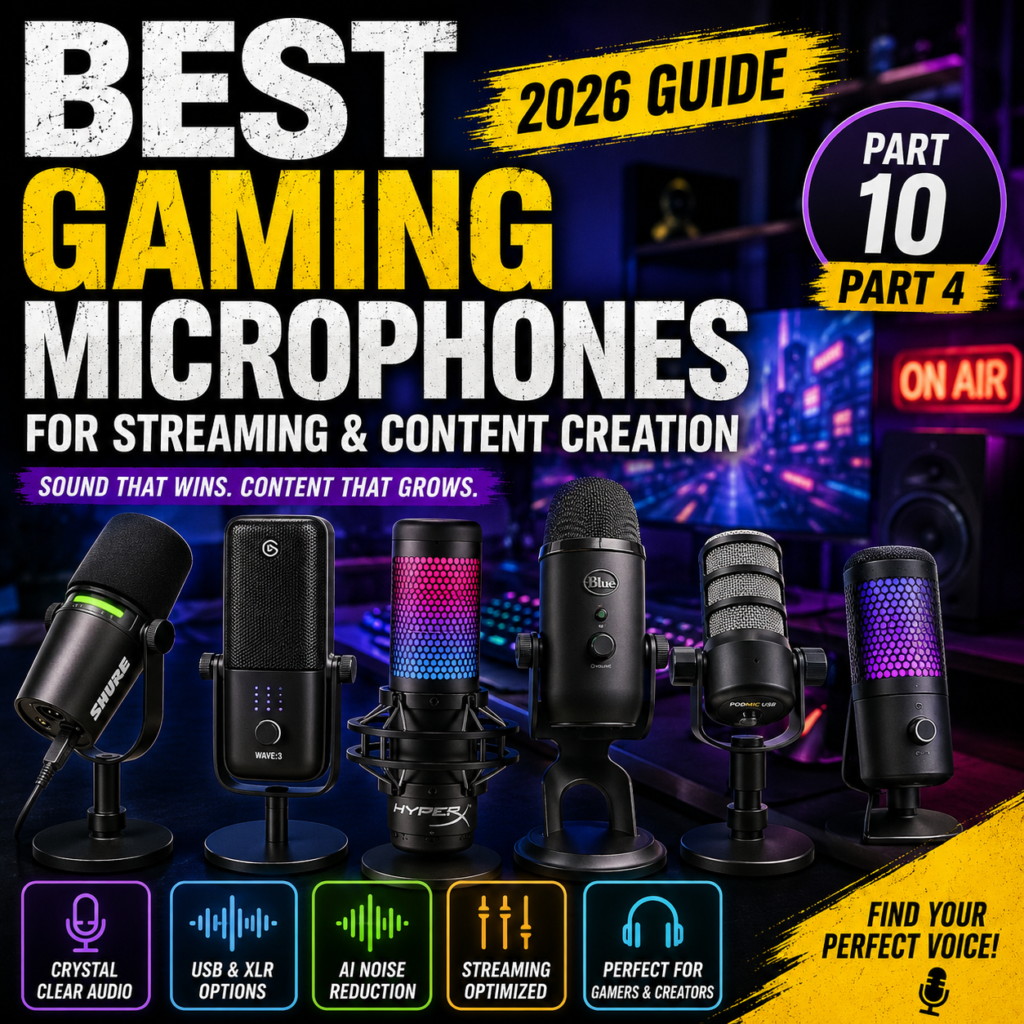
Best Gaming Microphones for Streaming & Content Creation in 2026
Everything You Need to Know Before Buying a Gaming Microphone
Last Updated: July 2026
Good video quality attracts viewers—but great audio keeps them watching.
Ask any experienced streamer or YouTube creator, and they’ll tell you the same thing: viewers are far more forgiving of average video than poor sound.
Whether you’re live streaming on Twitch, recording YouTube videos, hosting a podcast, or chatting with teammates on Discord, investing in a quality gaming microphone can dramatically improve your content.
In this guide, you’ll learn:
- Why audio quality matters
- USB vs XLR microphones
- Dynamic vs condenser microphones
- Polar patterns explained
- Sampling rate & bit depth
- Microphone accessories
- Noise reduction tips
- How to choose the right microphone
Let’s get started.
Why Upgrade to a Dedicated Gaming Microphone?


6
Most gaming headsets include built-in microphones.
While they’re convenient, they rarely provide the clarity needed for professional content creation.
A dedicated microphone offers:
- Clearer voice reproduction
- Less background noise
- Richer vocal tone
- Improved audience experience
- Greater professionalism
- Better compatibility with streaming software
Many successful creators upgrade their microphone before upgrading their camera because excellent audio has a bigger impact on viewer satisfaction.
Who Needs a Gaming Microphone?


6
Gaming microphones are useful for much more than livestreaming.
Twitch Streamers
- Live commentary
- Audience interaction
- Long streaming sessions
YouTube Creators
- Tutorials
- Reviews
- Voice-over narration
Podcasters
- Interviews
- Storytelling
- High-quality voice recording
Gamers
- Discord communication
- Team coordination
- Competitive gaming
Remote Workers
- Zoom meetings
- Microsoft Teams
- Google Meet
A quality microphone benefits nearly anyone who communicates online.
USB vs XLR Microphones


6
One of the biggest decisions is choosing between USB and XLR microphones.
USB Microphones
Advantages
- Plug-and-play setup
- No audio interface required
- Affordable
- Beginner friendly
- Easy to use
Disadvantages
- Limited upgrade options
- Fewer hardware controls
Best For
- Beginner streamers
- YouTubers
- Students
- Remote workers
XLR Microphones
Advantages
- Studio-quality sound
- Expandable setup
- Professional audio processing
- Greater flexibility
Disadvantages
- Requires an audio interface or mixer
- More expensive
- More cables
Best For
- Professional streamers
- Podcasters
- Musicians
- Recording studios
If you’re just getting started, a quality USB microphone is usually the smartest choice.
Dynamic vs Condenser Microphones


6
Microphones generally fall into two categories.
Dynamic Microphones
Characteristics
- Reject background noise
- Durable
- Excellent for untreated rooms
- Ideal for streaming
Perfect For
- Gamers
- Twitch
- Podcasts
- Home offices
Condenser Microphones
Characteristics
- Highly detailed sound
- Sensitive
- Excellent clarity
- Picks up more room noise
Perfect For
- Voice acting
- Music recording
- Professional studios
If your room isn’t acoustically treated, a dynamic microphone often provides cleaner results.
Understanding Polar Patterns


5
Polar patterns describe the direction from which a microphone captures sound.
Cardioid
Most common.
Captures sound primarily from the front while reducing noise from the sides and rear.
Best for:
- Streaming
- Gaming
- Podcasting
Omnidirectional
Captures sound from every direction.
Best for:
- Group discussions
- Conference rooms
Bidirectional
Captures sound from the front and back.
Best for:
- Interviews
- Two-person podcasts
For most gamers, cardioid microphones are the best option because they focus on your voice and minimize keyboard clicks and room noise.
Sampling Rate & Bit Depth


6
These specifications determine how accurately your voice is recorded.
Common Sampling Rates
- 44.1 kHz
- 48 kHz
- 96 kHz
Common Bit Depths
- 16-bit
- 24-bit
For streaming and YouTube, 48 kHz / 24-bit provides excellent quality while remaining compatible with most recording software.
Higher values are useful for advanced studio production but are unnecessary for most creators.
Useful Microphone Accessories


6
Accessories can greatly improve your recording quality.
Boom Arm
Benefits
- Frees desk space
- Positions the microphone correctly
- Reduces keyboard vibrations
Pop Filter
Reduces harsh sounds caused by letters such as:
- P
- B
- T
Shock Mount
Helps eliminate:
- Desk vibrations
- Keyboard impacts
- Mouse movement noise
These inexpensive accessories can noticeably improve the professionalism of your recordings.
Basic Tips for Better Audio


8
You don’t need an expensive studio to achieve excellent sound.
Simple improvements include:
- Close windows while recording
- Turn off noisy fans when possible
- Position the microphone 6–8 inches (15–20 cm) from your mouth
- Speak across the microphone rather than directly into it to reduce plosive sounds
- Use a boom arm to isolate the microphone from desk vibrations
- Record in a room with curtains, rugs, or bookshelves to reduce echo
Good microphone placement often matters more than buying a more expensive microphone.
Why Audio Is More Important Than Video


6
Imagine watching two streams:
- Stream A has a crystal-clear 4K webcam but muffled, noisy audio.
- Stream B has a standard 1080p webcam but clean, rich, easy-to-understand voice quality.
Most viewers will choose Stream B.
Clear audio builds trust, keeps viewers engaged, and makes your content feel more professional.
For new creators, upgrading your microphone is often one of the highest-return investments you can make.
The Best Gaming Microphones You Can Buy in 2026
Whether you’re streaming on Twitch, recording YouTube videos, hosting a podcast, or communicating with teammates, choosing the right microphone can dramatically improve your audio quality.
Today’s microphones offer features such as USB/XLR dual connectivity, AI-powered noise reduction, customizable RGB lighting, and studio-quality recording.
Here are the best gaming microphones available in 2026.
1. Shure MV7+
Best Overall Gaming Microphone


7
The Shure MV7+ builds upon the legendary MV7 with improved DSP, USB-C connectivity, and advanced voice enhancement features.
Features
- USB-C & XLR dual output
- Auto Level Mode
- Digital Popper Stopper
- Real-time noise reduction
- Shure MOTIV Mix software
Pros
✔ Studio-quality sound
✔ USB and XLR flexibility
✔ Excellent background noise rejection
✔ Professional software
Cons
✘ Premium price
Best For
- Professional streamers
- Podcasters
- Content creators
2. Elgato Wave:3
Best USB Gaming Microphone


6
The Elgato Wave:3 remains one of the most recommended USB microphones for streamers thanks to its superb software ecosystem.
Features
- USB-C connection
- Clipguard anti-clipping technology
- Wave Link software
- Capacitive mute button
- 24-bit / 96kHz recording
Pros
✔ Outstanding software
✔ Clean voice reproduction
✔ Easy setup
✔ Compact design
Best For
- Twitch
- YouTube
- OBS Studio users
3. HyperX QuadCast S
Best RGB Gaming Microphone


6
The HyperX QuadCast S combines excellent sound quality with customizable RGB lighting, making it one of the most popular gaming microphones.
Features
- Dynamic RGB lighting
- Four polar patterns
- Built-in shock mount
- Tap-to-mute sensor
- USB connectivity
Pros
✔ Eye-catching RGB
✔ Great sound quality
✔ Excellent vibration isolation
Best For
- Gamers
- Twitch streamers
- RGB enthusiasts
4. Blue Yeti X
Best Multi-Purpose Microphone


5
The Blue Yeti X remains a favorite among creators because of its versatility and ease of use.
Features
- Four pickup patterns
- LED level meter
- Blue VO!CE effects
- Plug-and-play USB
- Excellent desktop design
Pros
✔ Versatile
✔ Rich vocal tone
✔ Beginner friendly
Cons
✘ Picks up more room noise than dynamic microphones
Best For
- Podcasts
- Voice-over
- General content creation
5. RØDE PodMic USB
Best Hybrid Microphone


6
The RØDE PodMic USB offers both USB and XLR connectivity, making it ideal for creators who may upgrade to a professional audio interface later.
Features
- USB-C & XLR
- Internal DSP
- Integrated pop filter
- Headphone monitoring
- Broadcast-style design
Pros
✔ Excellent upgrade path
✔ Warm broadcast sound
✔ Durable construction
Best For
- Podcasting
- Streaming
- Long-term creators
6. SteelSeries Alias Pro
Best Premium Gaming Audio System


6
The SteelSeries Alias Pro combines a premium XLR microphone with an included audio interface, simplifying professional-quality audio for gamers.
Features
- XLR microphone
- Included Stream Mixer
- AI noise reduction
- RGB controls
- Sonar software integration
Pros
✔ Complete streaming package
✔ Excellent voice clarity
✔ Powerful software
Best For
- Professional gamers
- Advanced streamers
Best Budget Gaming Microphones


5
If you’re starting on a limited budget, these microphones provide exceptional value.
FIFINE AM8
- USB & XLR support
- Dynamic capsule
- Excellent price-to-performance ratio
MAONO PD200X
- Rich broadcast sound
- USB-C & XLR
- RGB lighting
- Good software support
Razer Seiren Mini
- Extremely affordable
- Compact design
- Excellent voice clarity for beginners
These microphones are ideal for new streamers who want quality without overspending.
Feature Comparison
| Microphone | Connection | Type | Best For | Price Tier |
|---|---|---|---|---|
| Shure MV7+ | USB/XLR | Dynamic | Overall Best | Premium |
| Elgato Wave:3 | USB | Condenser | Streaming | Mid-High |
| HyperX QuadCast S | USB | Condenser | Gaming | Mid |
| Blue Yeti X | USB | Condenser | Multi-purpose | Mid |
| RØDE PodMic USB | USB/XLR | Dynamic | Podcasting | Mid-High |
| SteelSeries Alias Pro | XLR + Interface | Dynamic | Professional Gaming | Premium |
| FIFINE AM8 | USB/XLR | Dynamic | Budget | Budget |
Which Gaming Microphone Should You Buy?
Choose the Shure MV7+ if:
- You want the best all-around microphone
- You plan to stream professionally
- You may upgrade to an XLR setup later
Choose the Elgato Wave:3 if:
- You stream on Twitch
- You use OBS Studio
- You want the best USB software ecosystem
Choose the HyperX QuadCast S if:
- You love RGB setups
- You want plug-and-play simplicity
- You primarily game and stream
Choose the Blue Yeti X if:
- You create a variety of content
- You need multiple recording patterns
- You frequently record interviews or voice-overs
Choose the RØDE PodMic USB if:
- You prefer broadcast-quality sound
- You expect to move into podcasting
- You want both USB and XLR flexibility
Choose the SteelSeries Alias Pro if:
- You want a premium all-in-one streaming audio system
- You value integrated mixer functionality
- You are building a professional gaming setup
Choose the FIFINE AM8 if:
- You’re on a tight budget
- You want excellent value
- You still want future XLR compatibility
How to Get Professional Audio Quality for Streaming & Gaming
Buying a great microphone is only the first step.
Even the world’s best microphone can sound disappointing if it’s positioned incorrectly, used in a noisy room, or paired with poor software settings.
Fortunately, you don’t need a professional recording studio to achieve excellent sound quality. By optimizing your microphone placement, room acoustics, and streaming software, you can dramatically improve your recordings.
In this guide, we’ll show you how to make any gaming microphone sound its best.
Proper Microphone Placement


5
Microphone placement has a bigger impact on sound quality than many people realize.
Recommended Position
- Place the microphone 15–20 cm (6–8 inches) from your mouth.
- Keep it slightly below or beside your mouth.
- Speak across the microphone rather than directly into it.
- Point the front of the microphone toward your mouth (especially for cardioid microphones).
Avoid
❌ Speaking too far away.
❌ Placing the microphone directly in front of your mouth.
❌ Keeping the microphone on the desk without vibration isolation.
Proper positioning reduces plosive sounds while maintaining a full, natural voice.
Boom Arms vs Desktop Stands


5
A boom arm is one of the best accessories you can buy for your microphone.
Boom Arm
Advantages
- Frees up desk space
- Positions the microphone perfectly
- Reduces keyboard vibration
- Easier adjustment while streaming
- Cleaner-looking setup
Desktop Stand
Advantages
- Lower cost
- Simple installation
- Portable
Disadvantages
- Picks up more desk vibrations
- Limited positioning options
For streamers and content creators, a boom arm is almost always the better choice.
Pop Filters & Windscreens


5
Certain letters—especially P, B, and T—create bursts of air known as plosives.
A pop filter helps reduce these harsh sounds.
Pop Filter
Best For
- Studio microphones
- Podcasting
- Voice-over recording
Foam Windscreen
Best For
- Streaming
- Gaming
- Reducing breathing sounds
- Light wind protection
Many creators use both for maximum vocal clarity.
Shock Mounts


5
A shock mount suspends the microphone using elastic supports.
Benefits include:
- Less keyboard vibration
- Reduced desk bumps
- Cleaner recordings
- Improved microphone stability
If you type frequently while gaming, a shock mount can make a noticeable difference.
OBS Studio Audio Settings


5
OBS Studio includes powerful built-in audio filters.
Recommended filter chain:
Noise Suppression
Removes:
- Fan noise
- Air conditioner hum
- Computer noise
Noise Gate
Blocks background sounds when you’re not speaking.
Useful for:
- Mechanical keyboards
- Mouse clicks
- Room noise
Compressor
Balances your speaking volume.
Benefits
- Louder quiet voices
- Prevents clipping
- More consistent audio
Limiter
Stops audio from exceeding safe volume levels and prevents distortion.
Using these filters together results in cleaner, more professional sound.
AI Noise Cancellation


AI-powered noise cancellation has become a major advancement in streaming.
Popular solutions include:
- NVIDIA Broadcast
- SteelSeries Sonar
- Elgato Noise Removal
- Krisp AI
These tools intelligently remove:
- Keyboard sounds
- Dogs barking
- Fans
- Air conditioners
- Traffic noise
They are especially useful for creators who don’t have access to a sound-treated room.
Improve Your Room Acoustics


8
Your room has a significant impact on recording quality.
Easy Improvements
- Add curtains
- Use carpets or rugs
- Install acoustic foam panels
- Place bookshelves on empty walls
- Reduce large reflective surfaces
- Close doors and windows while recording
Even simple furnishings can reduce echo and improve vocal clarity.
Common Audio Mistakes


5
Avoid these common mistakes:
❌ Speaking too far from the microphone.
❌ Recording with the microphone facing the wrong direction.
❌ Setting microphone gain too high.
❌ Ignoring room echo.
❌ Skipping OBS audio filters.
❌ Forgetting firmware or software updates.
❌ Using automatic gain control when manual settings provide better consistency.
Small adjustments often produce a much bigger improvement than upgrading to a more expensive microphone.
Build the Ultimate Audio Setup


5
For professional-quality audio, combine your microphone with:
- A sturdy boom arm
- A shock mount
- A pop filter or foam windscreen
- Closed-back monitoring headphones
- Acoustic treatment
- OBS Studio filters
- AI noise reduction software
- Proper microphone placement
These components work together to create clear, broadcast-quality sound that enhances every stream, video, or podcast.
Buying Guide, FAQ & Final Recommendations
A high-quality microphone is one of the best investments you can make as a gamer, streamer, or content creator.
While viewers may tolerate average video quality, poor audio often causes them to stop watching. A clear, natural voice creates a more professional impression, improves viewer retention, and makes communication far more enjoyable.
Whether you’re just starting your streaming journey or upgrading to a professional setup, there’s a microphone that fits your needs and budget.
Let’s wrap up this guide with our final buying recommendations, frequently asked questions, and the best microphones of 2026.
Best Gaming Microphones by Budget


7
Under $60
Recommended Models
- Razer Seiren Mini
- FIFINE AM8
- MAONO PD100X
Best For
- Beginners
- Students
- Discord
- Casual streaming
$60–120
Recommended Models
- HyperX QuadCast S
- Blue Yeti X
- Elgato Wave:3
Best For
- Twitch
- YouTube
- Content creation
$120–200
Recommended Models
- RØDE PodMic USB
- Shure MV7+
- SteelSeries Alias
Best For
- Professional creators
- Podcasting
- Long-term investment
$200+
Recommended Models
- SteelSeries Alias Pro
- Shure SM7B (with audio interface)
- Electro-Voice RE20 (professional studio)
Best For
- Professional streaming
- Broadcast studios
- Full-time content creators
Which Microphone Should You Buy?


6
Beginner Streamers
Recommended
- FIFINE AM8
- Elgato Wave:3
Reason
Easy setup, excellent sound quality, and outstanding value.
Twitch Streamers
Recommended
- Shure MV7+
- HyperX QuadCast S
Reason
Clear vocals, excellent streaming software support, and reliable performance during long broadcasts.
YouTube Creators
Recommended
- RØDE PodMic USB
- Shure MV7+
Reason
Broadcast-quality voice with flexibility for recording, editing, and future upgrades.
Podcasters
Recommended
- Shure MV7+
- SteelSeries Alias Pro
- Shure SM7B
Reason
Rich vocal tone, superior background noise rejection, and professional studio performance.
Competitive Gamers
Recommended
- HyperX QuadCast S
- Elgato Wave:3
Reason
Excellent communication quality with teammates while maintaining a clean desktop setup.
Gaming Microphone Buying Checklist
Before purchasing, ask yourself the following questions:
✅ Do I want USB, XLR, or both?
✅ Is my room noisy?
✅ Will I mainly stream, record videos, or join meetings?
✅ Do I need software-based audio controls?
✅ Do I plan to upgrade my setup later?
✅ Will I use a boom arm?
✅ Does the microphone include a shock mount?
✅ Is headphone monitoring available?
✅ Does it fit my desk space?
✅ Is it compatible with my streaming software?
Answering these questions before buying can save you money and help you choose a microphone that will continue to meet your needs as your setup evolves.
Frequently Asked Questions (FAQ)
Is USB good enough for streaming?
Absolutely.
Modern USB microphones provide excellent sound quality and are more than capable of producing professional streams and YouTube videos.
Should beginners buy XLR?
Not usually.
USB microphones are easier to set up, cost less overall, and don’t require an external audio interface.
Most beginners will be happier starting with USB.
Dynamic or condenser?
Dynamic
Best for:
- Gaming
- Streaming
- Noisy rooms
- Podcasting
Condenser
Best for:
- Studio recording
- Voice acting
- Music production
- Quiet environments
If your room has mechanical keyboards, fans, or echoes, dynamic microphones are generally the better choice.
Do I need a boom arm?
Highly recommended.
A boom arm improves positioning, reduces desk vibrations, frees up workspace, and makes your setup look more professional.
Do expensive microphones always sound better?
Not necessarily.
Proper microphone placement, room acoustics, and software settings often have a greater impact than simply purchasing a more expensive microphone.
Can AI noise reduction replace acoustic treatment?
AI tools such as NVIDIA Broadcast and SteelSeries Sonar can dramatically reduce background noise, but they cannot completely eliminate echo or poor room acoustics.
For the best results, combine AI processing with simple room improvements like curtains, rugs, or acoustic panels.
Final Recommendations

6
After comparing today’s leading gaming microphones, these are our top recommendations.
🏆 Best Overall
Shure MV7+
The perfect balance of professional sound quality, USB/XLR flexibility, advanced DSP, and future-proof expandability.
🏆 Best USB Microphone
Elgato Wave:3
Outstanding software, clean voice quality, and one of the easiest microphones to recommend for streamers.
🏆 Best RGB Gaming Microphone
HyperX QuadCast S
A favorite among gamers thanks to its vibrant RGB lighting, built-in shock mount, and excellent plug-and-play performance.
🏆 Best Hybrid Upgrade Choice
RØDE PodMic USB
A superb option for creators who want to start with USB and later transition to an XLR setup without replacing their microphone.
🏆 Best Premium Streaming System
SteelSeries Alias Pro
An all-in-one professional solution featuring a high-quality XLR microphone, dedicated Stream Mixer, and powerful software integration.
🏆 Best Budget Pick
FIFINE AM8
Exceptional value with USB/XLR connectivity, dynamic sound, and an upgrade path rarely found at its price point.
Conclusion
Choosing the right microphone is one of the most impactful upgrades you can make for your gaming and content creation setup.
Whether you’re communicating with teammates, entertaining viewers, or building your personal brand, clear and professional audio sets you apart.
Remember:
- Good microphone placement matters.
- Proper lighting may improve your video, but great audio keeps viewers engaged.
- Accessories such as boom arms, pop filters, and shock mounts can significantly improve your recordings.
- A well-tuned budget microphone often outperforms an expensive microphone used incorrectly.
Invest wisely, optimize your setup, and you’ll enjoy clearer communication and more professional content for years to come.
Next Article Preview
Article 11: Best Gaming Speakers for Immersive Audio in 2026
In the next guide, we’ll explore:
- Why Choose Speakers Instead of Headsets?
- 2.0 vs 2.1 Speaker Systems
- Bookshelf vs Desktop Gaming Speakers
- Bluetooth vs Wired Connections
- RGB Gaming Speakers
- Best Gaming Speakers of 2026
- Buying Guide
- FAQ
- Final Recommendations
Whether you’re enjoying immersive single-player adventures, watching movies, or listening to music between gaming sessions, we’ll help you choose the perfect speakers to complete your setup.