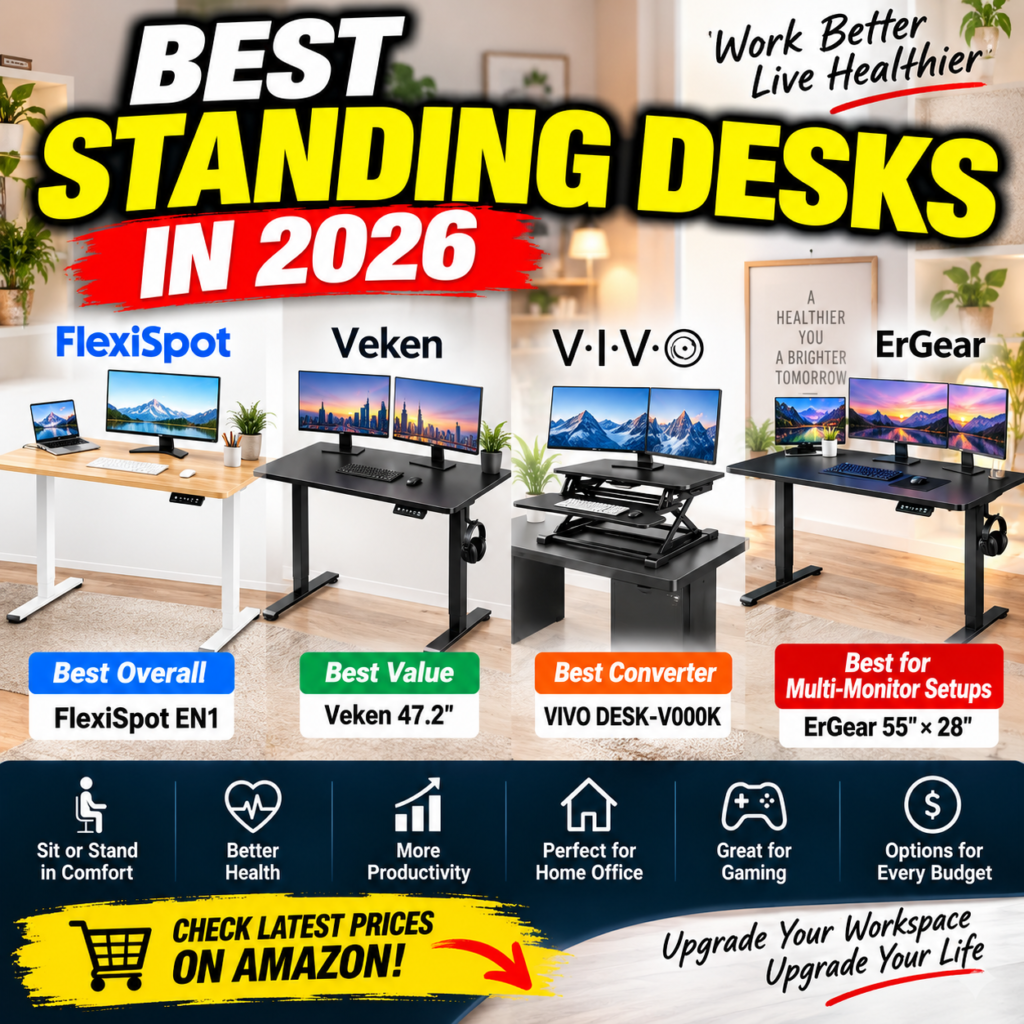
Affordable Standing Desk Picks for Home Offices, Gaming Setups, and Dual-Monitor Workstations
Last Updated: September 2026
Sitting at a desk all day can get old fast. Whether you’re working from home, gaming for hours, or simply trying to build a more flexible workspace, a standing desk can make it much easier to switch positions throughout the day.
The good news? You don’t necessarily need to spend $500+ to upgrade your setup.
For this comparison, we’re looking at four very different standing-desk solutions: the FlexiSpot EN1, Veken 47.2-inch Electric Standing Desk, VIVO DESK-V000K Standing Desk Converter, and ErGear 55 × 28-inch Electric Standing Desk.
The key question isn’t simply “Which one is best?”
It’s:
Which one gives you the most useful upgrade for the money?
Amazon Affiliate Disclosure: NexPixel participates in the Amazon Services LLC Associates Program. We may earn a commission from qualifying purchases made through links on this page, at no additional cost to you.
Quick Comparison: Our 4 Standing Desk Picks
| Product | Type | Size shown | Key Feature | Best For |
|---|---|---|---|---|
| FlexiSpot EN1 | Electric standing desk | 48″ × 24″ | 4 memory presets | Best Overall |
| Veken Standing Desk | Electric standing desk | 47.2″ × 23.6″ | Budget-friendly electric adjustment | Best Value |
| VIVO DESK-V000K | Standing desk converter | 32″ | Converts an existing desk | Best Desk Converter |
| ErGear Standing Desk | Electric standing desk | 55″ × 28″ | Larger work surface | Best for Multi-Monitor Setups |
Note: Prices and availability on Amazon can change at any time, so use the links below for current pricing.
1. FlexiSpot EN1 — Best Overall Standing Desk


5
The FlexiSpot EN1 is arguably the most balanced option in this group.
The version shown features a 48 × 24-inch one-piece desktop, electric height adjustment, four memory presets, and a listed 176-lb capacity.
That combination makes it particularly attractive for someone building a normal home-office or dual-monitor workstation without moving into premium standing-desk pricing.
Why We Like It
The memory presets are one of the EN1’s most useful features.
Instead of manually adjusting the desk every time you switch between sitting and standing, you can save preferred positions and return to them more conveniently.
Its one-piece desktop is another advantage for buyers who prefer a cleaner-looking workspace.
The 48-inch width isn’t enormous, but it should be practical for many standard setups involving a monitor or dual monitors, keyboard, mouse, laptop, and smaller accessories.
Best For
Home-office users who want a well-rounded electric standing desk without jumping into the premium price tier.
Pros
- Electric height adjustment
- Four memory presets
- One-piece desktop
- Listed 176-lb capacity
- Suitable for many dual-monitor setups
- Strong balance between features and cost
Cons
- 48-inch desktop may feel restrictive for very large setups
- Serious multi-monitor workstations may benefit from a wider desk
- Available configurations and pricing can vary
NexPixel Verdict
If you don’t know which of these four to choose, FlexiSpot is the safest all-around starting point.
It offers the features most people actually want from an electric standing desk without making the buying decision unnecessarily complicated.
Best Overall
Check Latest Price on Amazon →
2. Veken 47.2-Inch Electric Standing Desk — Best Value


5
The Veken 47.2-inch Standing Desk goes after a slightly different buyer:
Someone who wants electric height adjustment while keeping the initial investment down.
The model shown measures approximately 47.2 × 23.6 inches and offers electric sit-stand adjustment.
That’s enough room for a fairly straightforward gaming, study, or work-from-home station.
Why It Stands Out
Value is the big story.
Standing desks can become expensive surprisingly quickly. Once you add larger desktops, upgraded frames and accessories, the price can climb substantially.
Veken provides a simpler entry point.
For a student, first-time standing-desk buyer, remote worker, or gamer trying to upgrade from a conventional fixed desk, that can be more important than having every premium feature.
Best For
Budget-conscious buyers who still want a complete electric standing desk.
Pros
- Electric sit-stand adjustment
- Competitive entry-level positioning
- Practical size for smaller offices
- Suitable for work and gaming
- Multiple size options may be available
Cons
- Smaller than the ErGear option shown here
- Not the first choice for very elaborate multi-monitor setups
- Buyers should verify the exact variant before ordering
NexPixel Verdict
This is where the value argument gets interesting.
If you simply want to move between sitting and standing and don’t need a huge desktop, Veken may deliver more of what you actually need without making you pay for workspace you won’t use.
Best Value Pick
Check Latest Price on Amazon →
3. VIVO DESK-V000K — Best Standing Desk Converter


6
The VIVO DESK-V000K isn’t really competing directly with the other three.
Why?
Because it’s a standing desk converter, not a complete replacement desk.
You place the unit on your existing desk and raise your monitors, keyboard and other equipment into a standing position.
That makes it an interesting solution for anyone who already owns a desk they like.
Why a Converter Can Make More Sense
Imagine you have a solid desk, matching office furniture, built-in storage, or simply don’t want to dismantle your existing workspace.
Buying an entirely new electric desk may be unnecessary.
A converter lets you retain the desk while adding sit-stand functionality.
The VIVO model shown has a 32-inch platform, keyboard tray, and room for configurations involving monitors and a laptop.
Best For
People who want a sit-stand workstation without replacing their existing desk.
Pros
- Keep your current desk
- Separate keyboard platform
- Suitable for monitor-based workstations
- No complete desk replacement required
- Multiple width options are offered on the listing shown
Cons
- Takes up space on your existing desk
- Doesn’t provide the seamless appearance of a full electric desk
- Less suitable if you’re building a workspace from scratch
NexPixel Verdict
Don’t automatically buy a new desk just because you want to stand.
If you already own a desk you love, the VIVO converter could be the smarter use of your money.
That’s the major advantage here.
Best Standing Desk Converter
Check Latest Price on Amazon →
4. ErGear 55 × 28-Inch Standing Desk — Best for Multi-Monitor Setups


4
The ErGear 55 × 28-inch Electric Standing Desk makes the most sense when desk space itself is a priority.
At 55 inches wide and 28 inches deep for the configuration shown, it offers considerably more usable surface area than the smaller FlexiSpot and Veken configurations in this comparison.
That extra room matters more than it might seem.
A gaming or productivity workstation can quickly accumulate:
- multiple monitors
- laptop
- speakers
- keyboard
- large mouse pad
- microphone
- charging equipment
- monitor arms
- headphones
- other peripherals
Suddenly, a compact desk isn’t very compact—it just feels crowded.
Why We Like the Larger Surface
For multi-monitor productivity and gaming configurations, width and depth can be more valuable than cosmetic extras.
The product shown is electrically height adjustable and marketed as a sit-stand computer/home-office desk.
Its larger surface is the primary reason we’d choose it over the smaller desks.
Best For
Gamers, creators and productivity users building larger multi-display workstations.
Pros
- Large 55 × 28-inch work surface on the shown configuration
- Electric height adjustment
- Better suited to multi-monitor setups
- More room for gaming peripherals
- Attractive option for larger home offices
Cons
- Requires more floor space
- May be excessive for laptop-only users
- Higher cost than some smaller alternatives shown
NexPixel Verdict
If you’re running two or three monitors—or you know your setup will keep growing—buying too small a desk can become an expensive mistake.
ErGear is the pick here when workspace matters more than minimizing the initial price.
Best for Multi-Monitor Setups
Check Latest Price on Amazon →
Which Standing Desk Should You Buy?
Here’s the easiest way to decide.
| If You Want… | Our Pick |
|---|---|
| Best overall balance | FlexiSpot EN1 |
| Lower-cost electric desk | Veken |
| Keep your existing desk | VIVO DESK-V000K |
| More room for monitors | ErGear 55 × 28 |
For most home-office buyers, we’d start with the FlexiSpot EN1.
For value seekers, check the Veken.
Already have a good desk? The VIVO converter is the logical choice.
And if you’re building a serious multi-monitor command center, the larger ErGear deserves a closer look.
Full Standing Desk Comparison
Workspace
The ErGear wins on usable desktop area among the specific configurations shown.
The 55 × 28-inch surface provides noticeably more breathing room for multiple monitors and peripherals.
FlexiSpot and Veken are better suited to conventional home-office spaces where conserving room matters.
VIVO is fundamentally different because available workspace also depends on the desk underneath it.
Winner: ErGear
Value
This one depends heavily on current Amazon pricing.
The Veken listing shown positions it as the least expensive complete electric desk among these examples, making it particularly compelling for buyers who mainly want electric height adjustment.
Winner: Veken
Flexibility
VIVO wins for a very specific reason.
You don’t need to throw away or replace your current desk.
That can be extremely useful in a rented apartment, established office, or workspace where the existing furniture needs to remain.
Winner: VIVO
Best All-Around Feature Set
FlexiSpot’s combination of electric adjustment, four memory presets, manageable dimensions and one-piece desktop gives it the broadest appeal.
Winner: FlexiSpot EN1
Before You Buy a Standing Desk
Don’t choose based on price alone.
Measure Your Room
A 55-inch desk sounds better than a 48-inch desk until it arrives and dominates a small room.
Measure the available width and depth first.
Think About Monitor Count
One laptop and a monitor require far less space than three monitors, speakers and a gaming tower.
Buy for the setup you’re realistically going to use.
Check Height Range
Your ideal sitting and standing heights depend on your body dimensions and workstation setup.
Always verify the current manufacturer’s height specifications for the exact variant before purchasing.
Consider a Monitor Arm
A monitor arm can free valuable desktop space and make positioning easier when transitioning between sitting and standing.
For a clean gaming or productivity setup, this can be one of the most useful additions after the desk itself.
Don’t Ignore Cable Management
Power cords, display cables and USB cables need enough slack to accommodate the desk’s movement.
A beautiful standing desk can quickly become frustrating if cables pull tight every time you raise it.
FAQ
Are standing desks worth it?
They can be a useful workspace upgrade for people who want the option to alternate between sitting and standing. The real value is flexibility rather than trying to stand for the entire workday.
Is a 48-inch standing desk large enough for two monitors?
It can be, depending on monitor size, stands and other equipment. A monitor arm can help reclaim desktop space. Larger setups may benefit from a 55-inch or wider desk.
Should I buy an electric standing desk or a converter?
If you’re building a new workstation, a complete electric desk usually creates a cleaner setup.
If you already own a desk you want to keep, a converter such as the VIVO can be more practical.
Which is best for gaming?
For larger gaming setups, we’d lean toward ErGear because of the larger 55 × 28-inch configuration shown.
For a more compact gaming station, FlexiSpot or Veken may be sufficient.
Which standing desk is best for the money?
Among these products, Veken makes a strong value case, while FlexiSpot offers a more balanced overall package. Because Amazon pricing changes frequently, compare the live prices before choosing.
Final Verdict
There isn’t one standing desk here that makes sense for everyone—and that’s actually what makes this comparison useful.
Choose FlexiSpot EN1 if you want the strongest all-around balance.
Check FlexiSpot EN1 on Amazon →
Choose Veken if keeping the cost down is your priority.
Check Veken Standing Desk on Amazon →
Choose VIVO DESK-V000K if you already have a desk and don’t want to replace it.
Check VIVO Desk Converter on Amazon →
Choose ErGear if you’re building a larger multi-monitor workstation.
Check ErGear Standing Desk on Amazon →
The smartest purchase isn’t necessarily the biggest or most expensive desk. It’s the one that gives your actual setup the space and flexibility it needs.