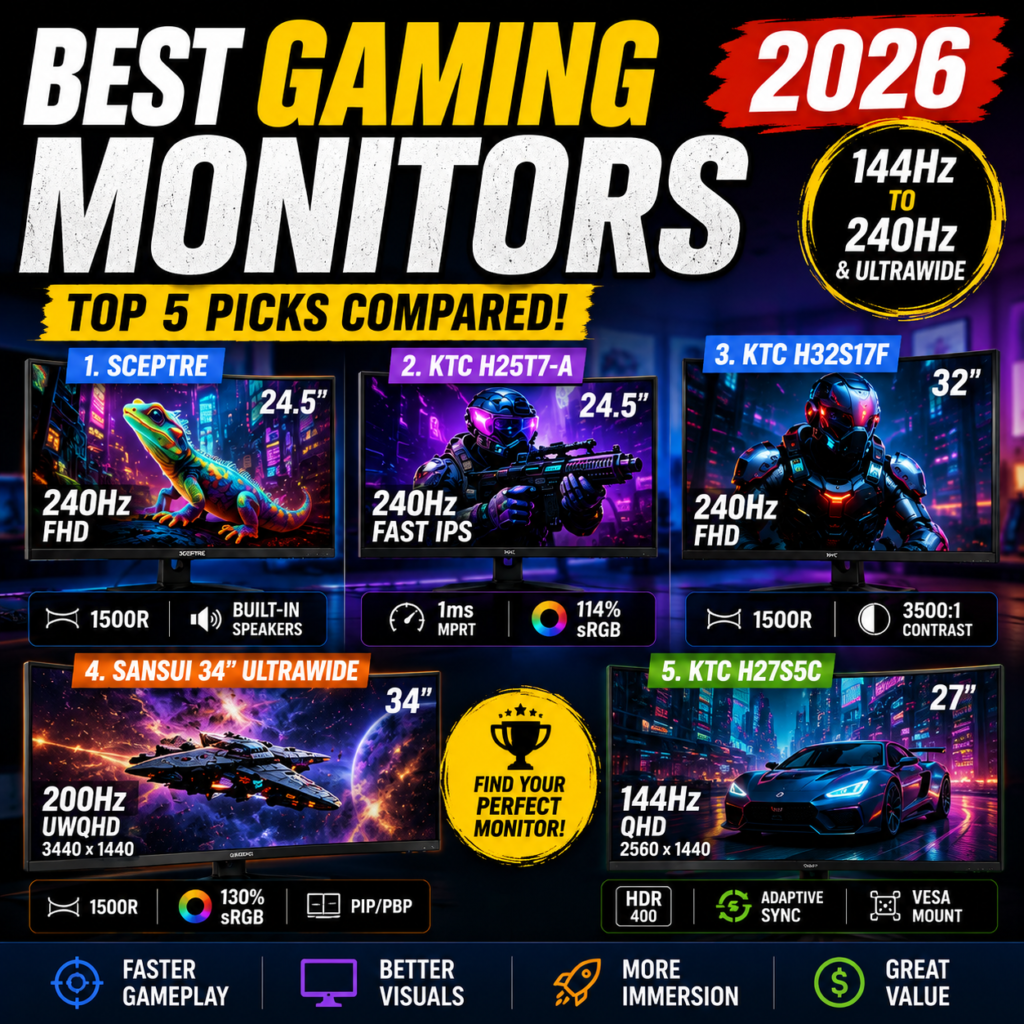
A fast gaming monitor doesn’t have to cost $500.
In 2026, gamers can choose from surprisingly capable displays offering 240Hz refresh rates, 1ms response times, curved panels, QHD resolution, and even 34-inch ultrawide screens at much more accessible prices.
But there’s a catch.
A 24.5-inch 240Hz monitor and a 34-inch 3440×1440 ultrawide may both be marketed as gaming monitors, but they’re designed for very different gamers.
We compared five interesting Amazon options:
- Sceptre 24.5″ Curved 240Hz
- KTC 24.5″ Fast IPS 240Hz
- KTC 32″ Curved 240Hz
- SANSUI 34″ UWQHD 200Hz Ultrawide
- KTC 27″ QHD Curved 144Hz
Here’s which one makes the most sense for your setup.
Affiliate Disclosure: As an Amazon Associate, NexPixel may earn from qualifying purchases made through links on this page, at no additional cost to you.
Quick Comparison
| Monitor | Size | Resolution | Refresh Rate | Best For |
|---|---|---|---|---|
| Sceptre C255B-FWT240 | 24.5″ | 1920×1080 | 240Hz | Best Budget Pick |
| KTC H25T7-A | 24.5″ | 1920×1080 | 240Hz | Best for Competitive Gaming |
| KTC H32S17F | 32″ | 1920×1080 | 240Hz | Best Large 240Hz Screen |
| SANSUI 34″ Ultrawide | 34″ | 3440×1440 | 200Hz | Best Ultrawide |
| KTC H27S5C | 27″ | 2560×1440 | 144Hz* | Best QHD Value |
*The provided Amazon listing title shows 144Hz while some listing text may reference another refresh specification. Verify the currently selected variant before purchasing.
🏆 Quick Picks
Best Budget Gaming Monitor: Sceptre 24.5″ 240Hz
Best for FPS Gaming: KTC 24.5″ Fast IPS 240Hz
Best Large-Screen 240Hz: KTC 32″ Curved
Best Overall Visual Experience: SANSUI 34″ UWQHD 200Hz
Best Balance of Resolution & Price: KTC 27″ QHD
1. Sceptre 24.5″ Curved 240Hz — Best Budget Pick
The Sceptre C255B-FWT240 is probably the easiest recommendation here for gamers primarily concerned with high refresh rate per dollar.
It combines a compact 24.5-inch display with 1920×1080 resolution, up to 240Hz refresh rate, and 1500R curvature. Sceptre’s official specifications also list two HDMI 2.0 ports, two DisplayPort 1.4 connections, audio output, built-in speakers, and gaming-oriented features.
Why We Like It
For competitive gaming, 24–25 inches is actually a very practical size.
Your eyes don’t have to travel as far across the screen, while 1080p resolution is significantly easier for a GPU to drive at extremely high frame rates than QHD or 4K.
That makes this combination particularly suitable for:
Valorant · Counter-Strike · Fortnite · Overwatch · Apex Legends
The 1500R curve also adds a little more immersion without requiring a massive desk.
Pros
- Up to 240Hz
- 1ms-class gaming response mode
- 1500R curved display
- Affordable
- Built-in speakers
- Multiple HDMI and DisplayPort connections
- Easier to drive at high FPS than QHD
Cons
- Only 1080p
- Smaller than 27/32-inch alternatives
- VA panel won’t appeal to everyone
- Basic stand ergonomics
Best For
Budget-conscious competitive gamers.
Verdict
If your priority is simply getting 240Hz gaming without spending much money, this is arguably the strongest value proposition of the five.
👉 Check Sceptre 24.5″ 240Hz Price on Amazon
2. KTC 24.5″ Fast IPS 240Hz — Best for Competitive Gaming
If competitive gaming matters more than screen size, the KTC H25T7-A is arguably the most interesting option in this comparison.
According to the Amazon listing supplied for this comparison, it combines:
24.5-inch display
1920×1080 FHD
240Hz refresh rate
Fast IPS panel
1ms MPRT
Adaptive Sync
HDR support


Why Fast IPS Matters
This is one of the biggest differences between the KTC and cheaper VA-based alternatives.
Fast IPS is designed to combine fast pixel response with the viewing angles and color characteristics associated with IPS technology.
For FPS players, that’s attractive.
The combination of 24.5 inches + FHD + 240Hz + Fast IPS is very close to the formula commonly used for competitive gaming monitors.
Pros
- 240Hz refresh rate
- Fast IPS
- 1ms MPRT specification
- Adaptive Sync
- HDR support
- Good color coverage
- Compact competitive-gaming size
Cons
- More expensive than the Sceptre
- 1080p rather than QHD
- 24.5 inches may feel small for productivity
- HDR capability shouldn’t be confused with premium HDR displays
Best For
FPS and competitive PC gamers.
Verdict
Between the two 24.5-inch models, we’d choose the KTC for the gamer who prioritizes panel performance, while the Sceptre makes more sense for maximum value.
👉 Check KTC 24.5″ 240Hz Price on Amazon
3. KTC 32″ Curved 240Hz — Best Large-Screen 240Hz Monitor
What if 24.5 inches feels too small?
That’s where the KTC H32S17F becomes interesting.
This monitor combines a 32-inch 1500R curved HVA panel with 1920×1080 resolution and up to 240Hz refresh rate.
KTC lists 1ms response, 125% sRGB, 3500:1 static contrast, dual HDMI 2.0 and DisplayPort 1.4 among its specifications.


5
The Big Advantage: Immersion
A 32-inch curved display creates a very different gaming experience from a 24.5-inch esports monitor.
Games such as:
Forza Horizon
Cyberpunk 2077
Call of Duty
Flight Simulator
Racing games
can feel considerably more immersive on a larger curved screen.
The 1500R curvature helps wrap the image around your field of view.
But There’s a Trade-Off
Resolution.
1920×1080 stretched across a 32-inch screen produces substantially lower pixel density than 1080p on a 24.5-inch monitor.
That means text and fine details may not look as sharp at normal desktop viewing distances.
That’s the biggest reason we’d recommend this monitor primarily to gamers who value size and speed over maximum image sharpness.
Pros
- Huge 32-inch screen
- 240Hz
- 1ms specification
- 1500R curvature
- Strong contrast
- Adaptive Sync
- Very immersive gaming
Cons
- 1080p at 32 inches
- Lower pixel density
- Requires considerably more desk space
- Not our first choice for text-heavy productivity
Best For
Gamers who want a large, immersive 240Hz display.
Verdict
This isn’t the sharpest monitor in the group, but 32 inches + 240Hz + curved gaming is an unusual combination at this price level.
👉 Check KTC 32″ Curved 240Hz Price on Amazon
4. SANSUI 34″ UWQHD 200Hz — Best Ultrawide Gaming Monitor
Now we move into a completely different category.
The SANSUI 34-inch monitor isn’t simply bigger.
It’s ultrawide.
The provided listing specifies:
34-inch display
3440×1440 UWQHD
200Hz
1500R curvature
1ms OD specification
HDR
130% sRGB
PIP/PBP


4
Why 3440×1440 Changes Everything
Compared with a standard 1920×1080 monitor, 3440×1440 provides dramatically more usable screen space.
That’s valuable for gaming—but also productivity.
You can have multiple windows open simultaneously, work on large spreadsheets, edit video timelines, or multitask more comfortably.
For immersive games, the 21:9 ultrawide aspect ratio can also create a much wider field of view when supported.
200Hz Is Still Extremely Fast
You give up 40Hz compared with the 240Hz monitors here.
For most gamers, that’s a very reasonable trade.
Going from:
1080p → 3440×1440
provides a far more obvious visual difference for many users than moving from:
200Hz → 240Hz.
The catch is GPU demand.
Driving modern games at 3440×1440 and very high frame rates requires considerably more graphics horsepower than 1080p.
Pros
- 34-inch ultrawide
- 3440×1440 resolution
- Up to 200Hz
- 1500R curve
- Excellent screen real estate
- Strong gaming immersion
- Great for productivity
- PIP/PBP support
Cons
- Most expensive option here
- Much more demanding on the GPU
- Requires a large desk
- Not every game handles 21:9 equally well
- VA-type characteristics may include more dark-level smearing than a good Fast IPS panel
Best For
Immersive gaming + productivity + multitasking.
Verdict
If your budget allows it and your GPU can handle 3440×1440, this is the most complete gaming experience in the comparison.
👉 Check SANSUI 34″ UWQHD 200Hz Price on Amazon
5. KTC 27″ QHD Curved — Best QHD Value
The final monitor may actually be the sweet spot for many mainstream PC gamers.
Why?
Because 27 inches + 2560×1440 is one of the most balanced combinations for desktop gaming.
The KTC H27S5C listing supplied here specifies a 27-inch curved QHD display, 1500R curvature, Adaptive Sync and HDR400, with the selected Amazon listing marketed as a 144Hz model.


Why 27-Inch QHD Is So Popular
At 27 inches, 1440p provides noticeably higher pixel density than 1080p.
Games look sharper.
Text looks cleaner.
Desktop applications have more usable space.
Yet QHD isn’t nearly as demanding on the GPU as 4K.
That’s why this combination is often a great middle ground between competitive speed and visual quality.
Pros
- 2560×1440 QHD
- 27-inch sweet spot
- 1500R curved screen
- Adaptive Sync
- HDR400 listed
- Better pixel density than 32-inch FHD
- Strong gaming/productivity balance
Cons
- Lower advertised refresh rate than the 240Hz models
- Requires more GPU performance than 1080p
- Competitive esports players may still prefer 24.5-inch 240Hz
- Verify the exact refresh-rate variant before ordering
Best For
Mainstream gamers who want both speed and image quality.
Verdict
If you’re not chasing every possible frame in competitive shooters, this may be the most sensible all-around monitor in the comparison.
👉 Check KTC 27″ QHD Price on Amazon
Which Gaming Monitor Should You Buy?
Here’s the easiest way to decide.
| Your Priority | Our Pick |
|---|---|
| Lowest-cost 240Hz gaming | Sceptre 24.5″ 240Hz |
| Competitive FPS | KTC 24.5″ Fast IPS 240Hz |
| Large 240Hz gaming | KTC 32″ Curved 240Hz |
| Maximum immersion | SANSUI 34″ UWQHD 200Hz |
| Gaming + everyday use | KTC 27″ QHD |


6
1080p vs. 1440p: Which Resolution Should You Choose?
This decision is more important than many buyers realize.
Choose 1080p if:
You play competitive FPS games.
You want 200–240 FPS.
You have a mid-range GPU.
You prioritize frame rate over maximum image detail.
Choose 1440p if:
You want sharper graphics.
You play AAA games.
You also use your monitor for work.
You have enough GPU performance to drive QHD comfortably.
And if you want maximum desktop space and immersion, the 3440×1440 ultrawide moves another step beyond standard QHD.
24.5 vs. 27 vs. 32 vs. 34 Inches
Screen size should also match how you actually use your computer.
24.5 inches — Excellent for competitive gaming.
27 inches — Excellent balance between gaming and productivity.
32 inches — More immersive, but we’d generally prefer QHD at this size when sharpness matters.
34-inch ultrawide — Best for immersion, multitasking, and cinematic gaming.
Bigger isn’t automatically better.
Resolution, viewing distance, desk size, GPU performance, and the games you play all matter.
Final Verdict
All five monitors target slightly different buyers.
🏆 Best Budget — Sceptre 24.5″ 240Hz
Excellent entry point for high-refresh gaming.
🎯 Best Competitive — KTC 24.5″ Fast IPS 240Hz
Our choice for FPS players who prioritize speed and panel response.
🖥️ Best Large 240Hz — KTC 32″ Curved
A huge screen and high refresh rate for immersive gaming.
👑 Best Overall Experience — SANSUI 34″ UWQHD 200Hz
The strongest choice for gamers who also want ultrawide productivity.
⚖️ Best Balanced Pick — KTC 27″ QHD
A strong middle ground between resolution, screen size, gaming speed, and price.
FAQ
Is 240Hz worth it?
For competitive games where your PC can consistently produce very high frame rates, 240Hz can provide noticeably smoother motion than 60Hz or 144Hz. For slower single-player games, resolution and image quality may matter more.
Is 1080p enough for a 24.5-inch gaming monitor?
Yes. 1080p remains well suited to approximately 24–25-inch screens, particularly when high FPS is the priority.
Is 1080p good at 32 inches?
It works, especially for gaming at a greater viewing distance, but pixel density is significantly lower. If sharp text and fine detail matter, 1440p is generally preferable at 32 inches.
Is 1440p better than 240Hz?
They solve different problems. 1440p improves image detail; 240Hz improves motion smoothness. Competitive players may prefer 1080p/240Hz, while mixed-use and AAA gamers may get more value from 1440p.
Is an ultrawide gaming monitor worth it?
For supported games, racing titles, simulations, RPGs, and productivity, a 34-inch 3440×1440 ultrawide can provide a much more immersive experience. Just make sure your GPU is powerful enough for the higher resolution.
Bottom Line
There isn’t one perfect gaming monitor for everyone.
For pure competitive gaming, we’d lean toward the KTC 24.5-inch Fast IPS 240Hz.
For value, the Sceptre 24.5-inch 240Hz stands out.
For a balance between gaming and everyday desktop use, the KTC 27-inch QHD is compelling.
And if you want the biggest upgrade in overall visual experience, the SANSUI 34-inch UWQHD 200Hz ultrawide is the standout.
Always check the currently selected Amazon variant, specifications, price, coupon, and availability before purchasing.